#VivoY95 #AudioSolution #MobileRepair #SmartphoneRepair #SanyoMobile #AudioIC #TechRepair
Is your Vivo Y95 having no sound during calls, or are the mic, speaker, and ringer completely dead? Watch this step-by-step professional repair guide to diagnose and fix the Vivo Y95 audio problems permanently.
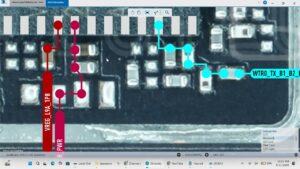
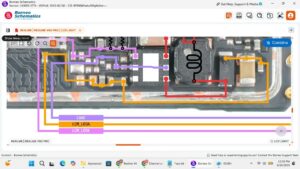
Sanyo Mobile brings you a complete, advanced Vivo Y95 audio circuit solution designed for technicians and repair specialists. We demonstrate how to accurately test the audio lines, diagnose the Audio IC, and perform precision micro soldering to restore full sound functionality for the microphone, earpiece speaker, and loud ringer. Whether you are dealing with a water-damaged board, a short circuit, or broken audio tracks, this comprehensive tutorial covers the exact motherboard schematics, jumper ways, and hardware repair techniques needed for a successful restoration.
This guide is designed for professional hardware technicians looking to improve their micro soldering skills and advanced mobile diagnostics.
Global Repair Search Terms: Mobile phone repair USA, smartphone motherboard repair UK, professional cell phone fixing Canada, audio IC replacement Australia, advanced mobile diagnostics Germany.
Vivo y95 mic solution, Vivo y95 speaker problem, Vivo y95 ringer repair, Vivo y95 audio ic fix, Vivo y95 no sound on calls, Vivo y95 jumper ways, mobile audio repair, smartphone speaker fix, cell phone motherboard repair, micro soldering tutorial, audio circuit test
#VivoY95Repair #MicRepair #SpeakerFix #MicroSoldering #PhoneFix #HardwareRepair #MotherboardRepair #RightToRepair #TechSupport #GSMMobileRepair #AudioCircuit