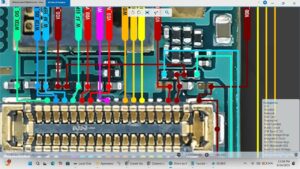
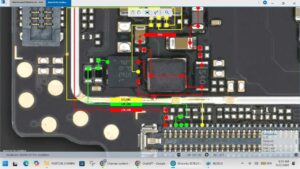
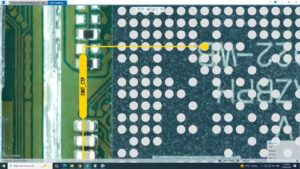
#pococ71 #networksolution #nosignal #simproblem #mobilerepair #phonerepair #sanyomobile
POCO C71 Network Solution | Fix No Signal, SIM Network Problem & Weak Signal Easily.
Learn the complete hardware troubleshooting process for POCO C71 network issues with professional repair techniques.
In this video, you'll learn how to diagnose and repair POCO C71 network problems, including No Service, No Signal, Emergency Calls Only, SIM Not Detected, Weak Signal, Baseband issues, RF troubleshooting, antenna line testing, and network hardware repair.
This tutorial is designed for mobile repair technicians, beginners, and advanced engineers looking for reliable repair solutions using professional diagnostic methods.
Topics Covered
✔ POCO C71 Network Solution
✔ No Signal Repair
✔ SIM Network Problem
✔ Emergency Calls Only Fix
✔ Weak Signal Solution
✔ Baseband Troubleshooting
✔ RF Section Diagnosis
✔ Antenna Line Testing
✔ Hardware Repair Guide
✔ Professional Mobile Repair Techniques
Whether you're repairing customer devices or improving your mobile repairing skills, this guide provides practical troubleshooting steps to help identify and resolve network-related hardware faults.
Subscribe to SANYO MOBILE for more professional mobile repairing videos, schematic solutions, hardware diagnostics, board-level repairs, charging solutions, LCD solutions, and smartphone troubleshooting tutorials.
POCO C71 network solution, POCO C71 no signal, POCO C71 SIM problem, POCO C71 no service, POCO C71 network repair, POCO C71 weak signal, POCO C71 emergency calls only, POCO C71 baseband solution, POCO C71 RF repair, POCO C71 antenna solution, POCO C71 hardware solution, Xiaomi POCO C71 repair, mobile repair, phone repair, GSM repair, smartphone repair, motherboard repair, technician tutorial, signal problem fix, SIM not detected, Android repair, SANYO MOBILE