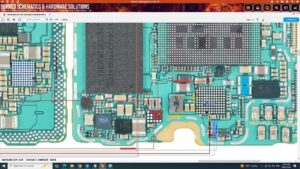
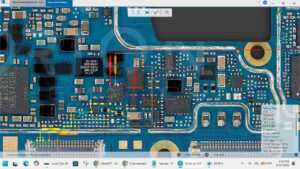
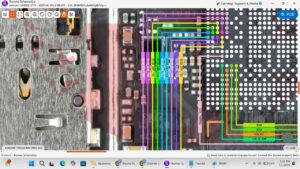
Is your Samsung A14 5G not charging or speaker suddenly stopped working? Watch this complete sub board repair and fix it today! ⬇️
🔧 Samsung Galaxy A14 5G Sub Board Repair — Complete Audio & Charging Solution
In this video I'll show you a full step-by-step repair of the Samsung A14 5G sub board covering no sound issues, mic failure, USB-C charging port problems, and SIM card detection faults — all caused by a faulty sub board / dock connector.
✅ Compatible Models: SM-A146B | SM-A146P | SM-A146U | SM-A146M | SM-A145F | SM-A145M | SM-A145R
━━━━━━━━━━━━━━━━━━━━━━━━━━━━━━━━
🔍 PROBLEMS SOLVED IN THIS VIDEO:
━━━━━━━━━━━━━━━━━━━━━━━━━━━━━━━━
✔ Samsung A14 5G not charging / charging port dead
✔ Samsung A14 5G audio not working / no sound from speaker
✔ Samsung A14 5G microphone not working during calls
✔ Samsung A14 5G USB-C port loose or broken
✔ Samsung A14 5G SIM card not detected
✔ Samsung A14 5G charging disconnects repeatedly
✔ Samsung A14 5G sub board jumper solution PCB level
━━━━━━━━━━━━━━━━━━━━━━━━━━━━━━━━
🛠 TOOLS & PARTS USED:
━━━━━━━━━━━━━━━━━━━━━━━━━━━━━━━━
– Samsung A14 5G Sub Board / Dock Connector OEM replacement
– Soldering iron / hot air rework station
– Multimeter for voltage testing
– Spudger & opening tools
– Flux & solder wire
━━━━━━━━━━━━━━━━━━━━━━━━━━━━━━━━
🔔 Subscribe for more Samsung repair tutorials, PCB level solutions and phone hardware fixes. Hit the bell icon so you never miss a video!
━━━━━━━━━━━━━━━━━━━━━━━━━━━━━━━━
📌 Related Searches:
Samsung A14 5G charging solution | Samsung A14 5G sub board repair | Samsung A14 5G audio problem fix | SM-A146 sub board | Samsung A14 5G USB-C port repair | Samsung A14 5G no sound solution | Samsung A14 5G mic not working | Samsung A14 5G hardware repair
#SamsungA145G #SubBoardRepair #ChargingSolution #SamsungRepair #PhoneRepair #AudioFix #SM-A146 #SM-A146B #HardwareRepair #MobileRepair #PCBRepair #SamsungFix #ChargingPortRepair #MicFix #DockConnector