#SamsungZFold6 #NetworkProblem #NoSignalFix #SamsungRepair #MobileRepair #NetworkSolution #PhoneRepair
Samsung Galaxy Z Fold 6 showing no signal, no service, or network connectivity problems? Learn how to troubleshoot common network issues and identify possible causes.
This Samsung Z Fold 6 network problem solution guide covers practical diagnostic checks for mobile technicians and users experiencing signal or cellular connectivity faults.
🔧 What You Will Learn in This Video:
– Samsung Z Fold 6 network problem diagnosis
– Samsung Galaxy Z Fold 6 no signal troubleshooting
– No service and emergency calls only issues
– SIM card detection and network registration checks
– Mobile network settings and preferred network modes
– IMEI and baseband status checks
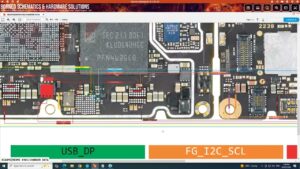
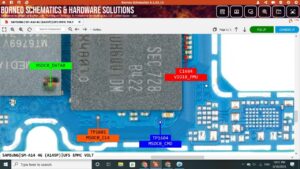
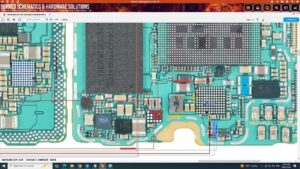
– Possible antenna and hardware-related faults
– Samsung Z Fold 6 network repair considerations
📱 Common Samsung Z Fold 6 Network Problems
Is your Samsung Galaxy Z Fold 6 showing no signal, no service, weak reception, or a SIM card error? These problems can result from a faulty SIM card, carrier outage, incorrect network settings, software issues, antenna damage, or internal hardware faults.
Before considering hardware repair, test a known-working SIM card, check your carrier's coverage, restart the phone, and reset network settings if appropriate. Verify that the device's IMEI and baseband information are available. If the problem persists, professional diagnosis may be required.
🌎 For Mobile Repair Technicians Worldwide
This Samsung Galaxy Z Fold 6 network repair tutorial is relevant to mobile technicians and smartphone repair professionals in the USA, UK, Canada, Australia, and Germany who want to understand cellular network faults and diagnostic procedures.
🔍 Related Search Queries:
– Samsung Z Fold 6 network problem solution
– Samsung Z Fold 6 no signal fix
– Samsung Galaxy Z Fold 6 no service problem
– Samsung Z Fold 6 SIM card not detected
– Samsung Fold 6 network issue repair
– Samsung Z Fold 6 weak signal problem
– Samsung Z Fold 6 emergency calls only
– Samsung Z Fold 6 IMEI and baseband check
– Samsung Galaxy Z Fold 6 antenna problem
– Samsung mobile network troubleshooting
– Samsung Z Fold 6 cellular connectivity issue
– Galaxy Z Fold 6 network repair tutorial
Subscribe for more Samsung mobile repair solutions, network troubleshooting, hardware diagnostics, and smartphone repair tutorials.
Disclaimer: This video is intended for educational and diagnostic purposes. Network issues may have software, SIM, carrier, antenna, or hardware-related causes. Actual diagnosis and repair requirements vary by device.
samsung z fold 6 network problem solution, samsung z fold 6 network problem, samsung galaxy z fold 6 no signal, samsung z fold 6 no service fix, samsung fold 6 network issue, samsung z fold 6 sim card problem, samsung galaxy z fold 6 network repair, samsung z fold 6 weak signal, samsung z fold 6 emergency calls only, samsung z fold 6 antenna problem, samsung z fold 6 imei problem, samsung z fold 6 baseband problem, samsung fold 6 cellular connectivity issue, samsung mobile network solution, samsung network repair, mobile network problem solution, no signal smartphone repair, samsung hardware repair, mobile technician network diagnosis, samsung galaxy network troubleshooting