#POCOX6Pro5G #NetworkProblem #MobileRepair #NoSignal #XiaomiRepair #PhoneRepair #HardwareRepair
Is your POCO X6 Pro 5G showing no signal, no service, or experiencing network connectivity problems?
Watch this repair tutorial to understand how to diagnose POCO X6 Pro 5G network issues and identify possible software, SIM, or hardware faults.
In this video, we cover the POCO X6 Pro 5G network problem solution, including network troubleshooting, SIM detection checks, signal diagnosis, and mobile phone hardware repair techniques.
🔧 WHAT YOU WILL LEARN
POCO X6 Pro 5G network problem diagnosis
POCO X6 Pro no signal troubleshooting
SIM card detection and network registration issues
Mobile network connectivity problem checks
Network settings and software troubleshooting
Antenna connection inspection
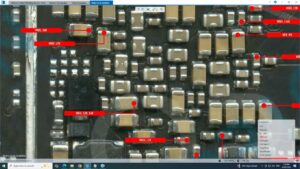
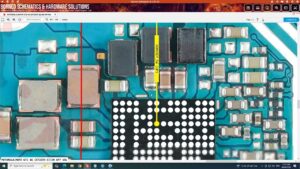
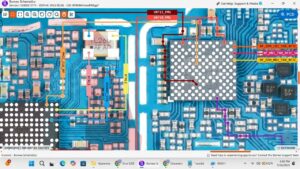
Motherboard and network hardware diagnosis
Practical mobile phone repair techniques
📱 POCO X6 PRO 5G NETWORK REPAIR
Network problems can occur because of SIM card faults, incorrect network settings, carrier issues, software problems, antenna connection faults, or other hardware damage. Proper diagnosis helps identify the actual cause before replacing components.
This tutorial is designed for mobile repair technicians, smartphone hardware learners, and electronics enthusiasts who want to improve their network troubleshooting skills.
🌍 GLOBAL MOBILE REPAIR KEYWORDS
Learn about smartphone network troubleshooting, Xiaomi POCO network repair, mobile signal diagnosis, SIM card problems, antenna inspection, motherboard repair, and Android connectivity issues. These topics are relevant to mobile repair audiences in the USA, UK, Canada, Australia, and Germany.
🔍 RELATED SEARCH TOPICS
POCO X6 Pro 5G network problem solution
POCO X6 Pro no signal problem
POCO X6 Pro SIM not detected
POCO X6 Pro network not available
Xiaomi POCO signal problem repair
Android mobile network troubleshooting
Smartphone antenna and network diagnosis
Mobile hardware repair tutorial
⚠️ REPAIR NOTICE: Check SIM functionality, carrier coverage, network settings, and software conditions before attempting hardware repairs. Internal repairs should be performed using appropriate tools and safe handling procedures.
👍 Like this video if it helps with your repair work.
💬 Comment with your POCO X6 Pro 5G network fault or repair question.
🔔 Subscribe to SANYO MOBILE for more mobile hardware repair tutorials, network solutions, and smartphone troubleshooting videos.
POCO X6 Pro 5G network problem solution, POCO X6 Pro network problem, POCO X6 Pro 5G no signal problem, POCO X6 Pro no service solution, POCO X6 Pro SIM not detected, POCO X6 Pro network repair, POCO X6 Pro signal problem, POCO X6 Pro network not available, Xiaomi POCO network problem, POCO X6 Pro 5G repair tutorial, mobile network problem solution, Android no signal fix, smartphone network troubleshooting, SIM card network problem, mobile antenna repair, mobile motherboard repair, network hardware diagnosis, Xiaomi phone repair, mobile repairing tutorial, smartphone signal problem, SANYO MOBILE