Is your OPPO F23 5G touch screen completely dead or not responding?
Did your display stop working after a drop, water damage, or failed repair?
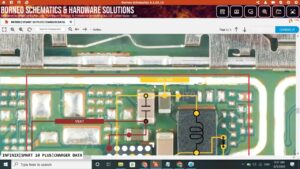
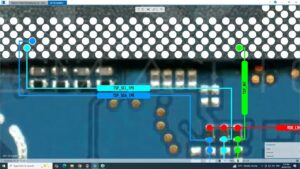
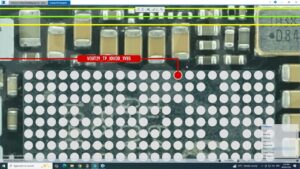
This video covers the complete OPPO F23 5G touch solution at the hardware level, including jumper points, touch IC repair, and motherboard-level diagnostics. Whether your OPPO F23 5G touch is not working, partially responding, or fully dead, this guide will help you fix it step by step.
📱 Compatible Models:
OPPO F23 5G | CPH2617 | OPPO F21 Pro 5G | OPPO A78 5G
✔ Touch screen completely dead solution
✔ Touch not responding after LCD replacement
✔ Ghost touch and multi-touch problem fix
✔ Touch IC jumper point solution
✔ Water damage touch not working fix
🔧 Tools & Parts Used:
🔧 DC Power Supply
🔧 Soldering Iron & Hot Air Gun
🔧 Touch IC / Touch Filter
🔧 Multimeter for Continuity Testing
🔔 Subscribe to SANYO MOBILE for daily mobile repair solutions!
🔍 Related Searches:
OPPO F23 5G touch solution | OPPO F23 5G touch not working fix | CPH2617 touch jumper | OPPO F23 touch IC solution | OPPO F23 5G display problem | OPPO F23 touch screen repair | OPPO F23 5G motherboard touch ways | OPPO F23 dead touch fix
#OPPOF235G #TouchSolution #OPPOF23TouchFix #MobileRepair #TouchNotWorking #CPH2617 #OPPORepair #TouchICsolution #MobileRepairTips #DisplaySolution #OPPOTouchProblem #HardwareRepair #JumperSolution #MotherboardRepair #SanyoMobile
OPPO • Repair Solution