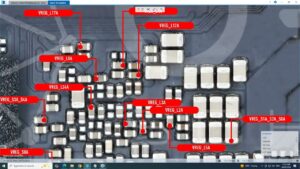
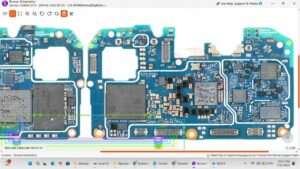
Is your Infinix Note 50 Pro 4G screen completely black, flickering, or showing no display at all? Did your LCD suddenly stop working after a drop or motherboard-level fault?
This video delivers a complete Infinix Note 50 Pro 4G LCD problem solution at the hardware and motherboard level. We diagnose every possible cause of display failure and show the exact fix step by step.
📱 Compatible Models:
Infinix Note 50 Pro 4G, Infinix Note 50, Infinix Note 50s, Infinix Note 40 Pro, Infinix Hot 50 Pro
✅ Problems Solved:
✔ LCD black screen / no display solution
✔ Display flickering or white lines on screen
✔ LCD backlight not working fix
✔ Display IC jumper on motherboard
✔ Touch not responding after LCD replacement
🔧 Tools & Parts Used:
🔧 Hot Air Gun / Soldering Iron
🔧 LCD Display IC
🔧 Jumper Wire
🔧 Multimeter
🔔 Subscribe to SANYO MOBILE for daily mobile repair solutions!
🔍 Related Searches:
Infinix Note 50 Pro 4G LCD problem solution
Infinix Note 50 Pro display not working fix
Infinix Note 50 Pro 4G black screen solution
Infinix Note 50 Pro LCD IC jumper
Infinix Note 50 Pro backlight problem fix
Infinix Note 50 Pro display IC motherboard repair
Infinix Note 50 Pro screen flickering solution
Infinix Note 50 Pro no display motherboard fix
#InfinixNote50Pro #InfinixNote50ProLCD #InfinixDisplaySolution #InfinixBlackScreen #InfinixNote50Pro4G #LCDProblemFix #DisplayICJumper #InfinixRepair #BacklightSolution #LCDICSolution #MobileRepair #InfinixMotherboard #DisplayNotWorking #InfinixNote50 #SanyoMobile
Infinix • LCD Solution