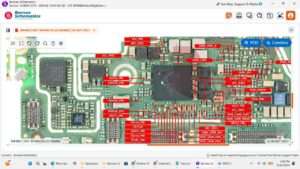
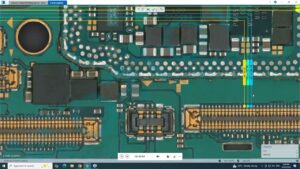
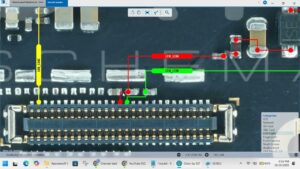
Is your Infinix Smart 9 HD power button not responding or volume keys completely stopped working? Did your side buttons fail after a drop, water damage, or long-term use?
This video provides the complete Infinix Smart 9 HD power button and volume keys problem solution with full hardware-level repair including button switch replacement, flex cable diagnosis, and motherboard pad restoration to get all your side keys working perfectly again.
📱 Compatible Models:
Infinix Smart 9 HD | Infinix Smart 9 | Infinix X6525 | Infinix Smart 8 HD
✔ Power button not working solution
✔ Volume up / volume down keys fix
✔ Side button flex cable problem solution
✔ Button switch replacement fix
✔ Motherboard pad & jumper solution
🔧 Tools & Parts Used:
🔧 Power & Volume Button Switch / Flex Cable
🔧 Soldering Iron & Solder Wire
🔧 Hot Air Station
🔧 Screwdriver & Opening Tool Set
🔔 Subscribe to SANYO MOBILE for daily mobile repair solutions!
Related Searches:
Infinix Smart 9 HD power button problem solution
Infinix Smart 9 HD volume keys not working fix
Infinix X6525 power button solution
Infinix Smart 9 HD side button repair
Infinix Smart 9 HD power key flex cable solution
Infinix Smart 9 HD volume button motherboard fix
Infinix Smart 9 HD button switch replacement
Infinix Smart 9 HD power volume jumper solution
#InfinixSmart9HD #InfinixPowerButton #InfinixVolumeKeys #InfinixSmart9HDFix #InfinixButtonSolution #PowerButtonFix #VolumeKeysSolution #MobileRepair #InfinixX6525 #SideButtonFix #InfinixRepair #ButtonSwitchSolution #MobileButtonRepair #InfinixMotherboardFix #SanyoMobile
Infinix • Power Solution