Is your OnePlus 11R WiFi, Bluetooth, or GPS suddenly stopped working?
Did all three signals drop after a fall, water damage, or motherboard repair?
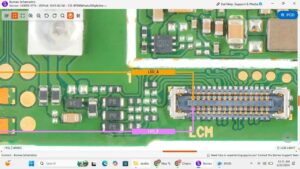
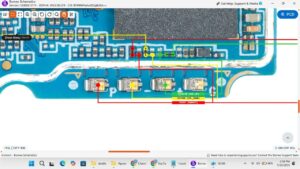
This video covers the complete OnePlus 11R WiFi Bluetooth GPS solution — from hardware-level diagnosis to IC replacement and antenna connector repair. If your OnePlus 11R is showing no signal, greyed-out toggles, or unstable GPS, this is the fix you need.
📱 Compatible Models:
OnePlus 11R, OnePlus 11, OnePlus 10R, OnePlus 10 Pro, OnePlus Nord 3
✅ Problems Solved:
✔ OnePlus 11R WiFi not turning on or keeps disconnecting
✔ Bluetooth greyed out or not detecting devices
✔ GPS not finding location or showing wrong location
✔ All three signals dead after motherboard repair
✔ WiFi/Bluetooth/GPS IC damaged or shorted on motherboard
🔧 Tools & Parts Used:
🔧 WiFi Bluetooth GPS IC (Combo Chip)
🔧 Hot Air Rework Station
🔧 Soldering Iron & Flux
🔧 Antenna Flex Cable for OnePlus 11R
🔔 Subscribe to SANYO MOBILE for daily mobile repair solutions!
🔍 Related Searches:
OnePlus 11R WiFi problem solution
OnePlus 11R Bluetooth not working fix
OnePlus 11R GPS issue repair
OnePlus 11R network IC replacement
OnePlus 11R WiFi greyed out solution
OnePlus 11R combo IC jumper
OnePlus 11R antenna connector repair
OnePlus 11R motherboard WiFi fix
#OnePlus11R #WiFiSolution #BluetoothFix #GPSRepair #OnePlusRepair #WiFiNotWorking #BluetoothNotWorking #GPSNotWorking #OnePlus11RFix #MobileRepair #ComboIC #MotherboardRepair #AntennaFix #PhoneRepair #SanyoMobile
OnePlus • WiFi Solution