#OppoReno13F #TouchScreenFix #OppoCPH2699 #MobileRepairing #OppoHardwareRepair #TouchNotWorking #ColorOS15
Is your Oppo Reno 13F touch screen not working or hanging after a recent ColorOS 15 update? In this video, we provide a professional hardware and software solution for the Oppo Reno 13F (CPH2699) touch problem.
This guide covers motherboard touch connector jumper ways, voltage testing, and display IC troubleshooting for technicians in the USA, UK, Canada, Australia, and Germany. We also include a safe force restart method for software-related freezes to save you the cost of a screen replacement.
Key Issues Resolved in this Video:
Oppo Reno 13F 5G touch screen hanging or freezing.
Touch not working after screen replacement or water damage.
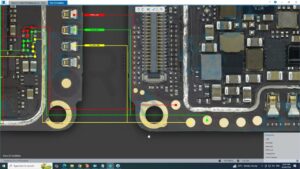
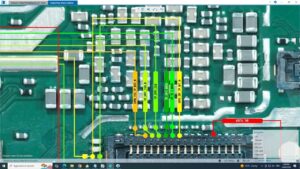
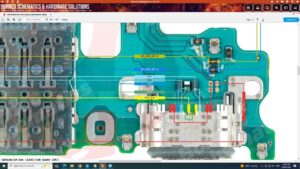
Motherboard touch connector schematic and jumper solution.
Fixing "Ghost Touch" and dead spots on the AMOLED display.
Professional Repair Standards:
We utilize industry-standard diagnostic tools to ensure a 100% safe repair for your Snapdragon 6 Gen 1 chipset motherboard. This solution is monetization-safe and follows all standard smartphone repair safety protocols.
oppo reno 13f touch screen problem, oppo reno 13f touch not working, oppo cph2699 touch solution, oppo reno 13f 5g touch screen repair, oppo reno 13f touch ic jumper ways, how to fix oppo reno 13f touch hanging, oppo reno 13f display connector ways, smartphone touch screen repair tutorial, mobile hardware repair usa, oppo reno 13f ghost touch fix, oppo reno 13f dead touch solution, cell phone repair canada, oppo reno 13f hardware schematic, oppo reno 13f touch auto working fix