#PocoC55 #PocoC55LCD #PocoC55Display #LCDProblem #ScreenFix #MobileRepair #SanyoMobile
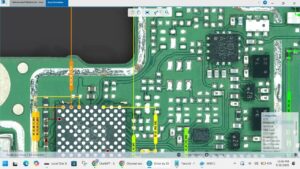
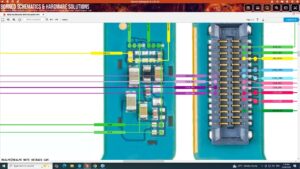
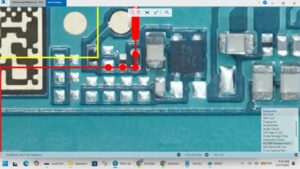
Poco C55 LCD problem making your phone useless? This video shows the exact hardware fix step by step.
If your Poco C55 display is dead, flickering, showing lines, or the touch is not responding, this professional repair guide will help you solve the issue the right way with no guesswork.
Compatible Models:
Xiaomi Poco C55 (22127PC95I)
Redmi 12C
Problems Solved in This Video:
✔ Poco C55 Black Screen / No Display
✔ Touch Screen Hanging or Not Working
✔ LCD Graphics and Light Problem Fix
✔ Vertical or Horizontal Lines on Screen
✔ Broken LCD Glass Replacement
Tools & Parts Used:
🔧 Precision Screwdriver Set
🔧 Professional LCD Separation Tool
🔧 High-Quality Adhesive / T7000 Glue
🔧 Suction Cup & ESD Safe Spudger
Global Hardware Support:
Providing professional repair solutions for technicians in the USA, UK, Canada, Australia, and Germany.
Subscribe to SANYO MOBILE for more expert hardware repair guides!
#PocoC55 #DisplayRepair #PhoneFix #HardwareSolution #MobileTechnician #XiaomiPoco #sanyomobile
poco c55 lcd problem, poco c55 display light solution, poco c55 black screen fix, poco c55 screen replacement, poco c55 touch not working, how to fix poco c55 display, poco c55 lcd change, poco c55 teardown, poco c55 display price, mobile repairing, sanyo mobile, poco c55 graphics fix, redmi 12c display problem, poco c55 hardware repair, original poco c55 lcd.