#PocoF5 #TouchScreenFix #XiaomiRepair #PocoF5Pro #TouchNotWorking #MobileRepair #HardwareSolution
Poco F5 touch screen unresponsive or stopped working? This professional hardware repair guide provides the ultimate diagnostic and jumper solution for Xiaomi Poco F5 touch hang problems.
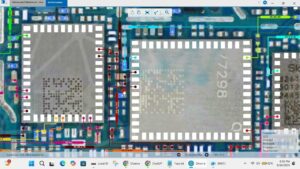
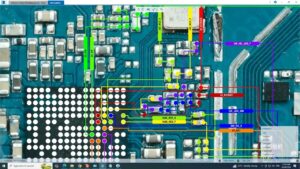
In this technical tutorial, we demonstrate how to analyze the Poco F5 touch connector, measure touch supply voltages (VREG), and perform precision Touch IC troubleshooting. Whether your screen is frozen after an update or completely unresponsive due to hardware failure, we provide step-by-step motherboard diagnostic methods used by expert technicians in the USA, UK, Canada, and Germany. Learn how to fix Poco series touch issues at the component level with professional motherboard walkthroughs and soldering tips.
Technical Overview:
Poco F5 Touch IC Voltage and LDO measurements
Motherboard Touch Connector cleaning and pin resoldering
Xiaomi Poco F5 Display and Touch Ways Jumper Solution
Troubleshooting touch not working after water damage or drops
Professional SMD repair for high-end smartphone technicians
Compatible Models: Xiaomi Poco F5, Poco F5 Pro (Global Variants).
poco f5 touch screen not working, poco f5 touch solution, poco f5 touch hang fix, poco f5 touch ways, poco f5 touch ic repair, poco f5 touch jumper, mobile hardware repair, poco f5 display touch fix, how to fix poco f5 touch screen, xiaomi repair training, poco f5 schematic diagram, poco f5 pro touch solution, touch screen unresponsive fix