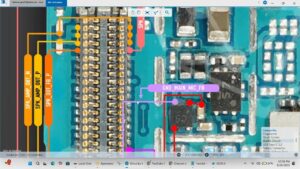
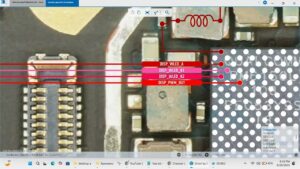
Is your Poco X7 showing "Insert SIM" error even with a valid SIM card inserted?
Did your Poco X7 suddenly stop detecting any SIM after a drop, water damage, or motherboard fault?
This video covers the complete Poco X7 SIM not detected solution at the motherboard level. We diagnose and repair SIM IC faults, SIM slot damage, SIM card reader failure, and network detection circuit issues step by step.
📱 Compatible Models:
Poco X7, Poco X7 Pro, Redmi Note 14, Redmi Note 14 Pro, Xiaomi Note 14
✔ Poco X7 Insert SIM error solution
✔ SIM card not detected motherboard fix
✔ SIM IC fault & jumper solution
✔ SIM slot pins damaged repair
✔ Dual SIM one slot dead solution
🔧 Tools & Parts Used:
🔧 DC Power Supply
🔧 Hot Air Rework Station
🔧 Soldering Iron & Flux
🔧 Multimeter
🔧 SIM IC / SIM Card Slot
🔔 Subscribe to SANYO MOBILE for daily motherboard-level mobile repair solutions!
🔍 Related Searches:
Poco X7 insert SIM solution
Poco X7 SIM not detected fix
Poco X7 SIM card not working solution
Poco X7 SIM IC repair motherboard
Poco X7 Pro SIM slot dead fix
Xiaomi Poco X7 SIM not reading solution
Poco X7 no SIM card motherboard repair
Poco X7 dual SIM one slot not working fix
#PocoX7 #PocoX7SIMSolution #InsertSIMFix #SIMNotDetected #PocoX7Repair #SIMICRepair #SIMSlotSolution #MobileRepair #MotherboardRepair #XiaomiRepair #PocoRepair #SIMCardFault #NoSIMSolution #MobileRepairPakistan #SanyoMobile
Mobile • Repair Solution