Is your Poco X7 WiFi disconnecting, Bluetooth failing to connect, or GPS signal completely dead?
Did your Poco X7 lose all wireless signals after a drop, water damage, or motherboard fault?
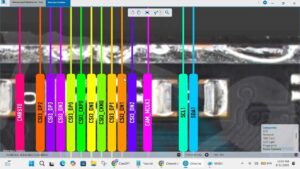
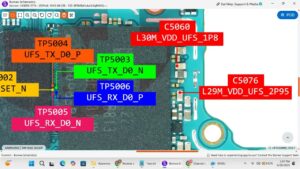
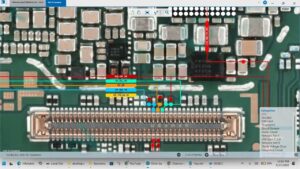
This video covers the complete Poco X7 WiFi, Bluetooth & GPS solution at the motherboard level. We diagnose and repair network IC faults, antenna connection issues, and wireless circuit failures step by step.
📱 Compatible Models:
Poco X7, Poco X7 Pro, Redmi Note 14, Redmi Note 14 Pro, Xiaomi Note 14
✔ Poco X7 WiFi dead / not connecting solution
✔ Bluetooth signal lost or greyed out fix
✔ GPS not working / no signal solution
✔ Network IC fault motherboard repair
✔ Antenna line & wireless circuit fix
🔧 Tools & Parts Used:
🔧 DC Power Supply
🔧 Hot Air Rework Station
🔧 Soldering Iron & Flux
🔧 Multimeter
🔧 Network IC / WiFi Bluetooth IC
🔔 Subscribe to SANYO MOBILE for daily motherboard-level mobile repair solutions!
🔍 Related Searches:
Poco X7 WiFi problem solution
Poco X7 Bluetooth dead fix
Poco X7 GPS signal solution
Poco X7 network IC repair
Poco X7 Pro WiFi not connecting fix
Xiaomi Poco X7 wireless IC motherboard repair
Poco X7 Bluetooth greyed out solution
Poco X7 GPS not working motherboard fix
#PocoX7 #PocoX7WiFi #BluetoothSolution #GPSSolution #PocoX7Fix #NetworkICRepair #WiFiDeadSolution #MobileRepair #MotherboardRepair #XiaomiRepair #PocoRepair #WirelessFault #NetworkSolution #MobileRepairPakistan #SanyoMobile
Mobile • WiFi Solution