Is your Realme Narzo N55 display showing lines, black screen, or touch not responding? Did your LCD stop working after a drop, pressure, or replacement?
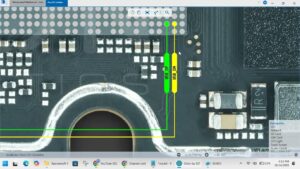
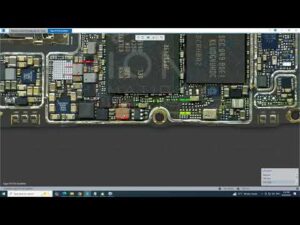
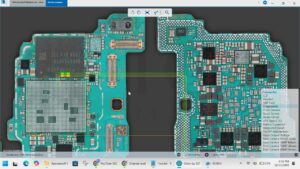
This video provides the complete Realme Narzo N55 LCD problem solution with step-by-step motherboard-level diagnosis and repair. We cover dead display, touch failure, LCD lines, and white screen issues with exact IC ways and jumper points.
📱 Compatible Models:
Realme Narzo N55, Realme Narzo N53, Realme C55, Realme C33, Realme C35
Problems Solved:
✔ LCD display completely dead or black
✔ Touch screen not responding
✔ Display showing lines or flickering
✔ White screen or ghost touch issue
✔ LCD not working after replacement
Tools & Parts Used:
🔧 DC Power Supply
🔧 Hot Air Rework Station
🔧 Multimeter
🔧 LCD Connector & Display IC
🔔 Subscribe to SANYO MOBILE for daily mobile repair solutions — it's 100% FREE!
Related Searches:
realme narzo n55 lcd problem solution
realme narzo n55 display not working fix
realme narzo n55 black screen solution
realme narzo n55 touch not working solution
realme narzo n55 lcd ic jumper ways
realme narzo n55 display lines fix
realme narzo n55 motherboard lcd repair
realme narzo n55 screen replacement problem
#RealmeNarzoN55 #LCDProblemSolution #DisplayFix #RealmeRepair #TouchNotWorking #BlackScreenFix #MobileRepair #MotherboardRepair #LCDRepair #NarzoN55Fix #DisplaySolution #RealmeDisplay #ICJumper #ScreenRepair #SanyoMobile
Realme • LCD Solution