#RealmeNote60 #PowerButtonRepair #VolumeKeysSolution #MobileRepairing #RealmeRepair #ButtonJumper #HardwareFix
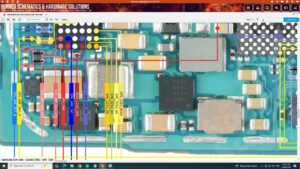
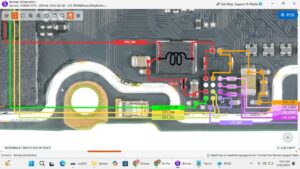
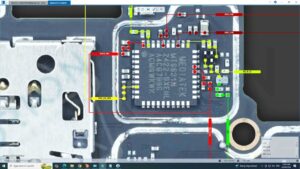
Stop struggling with a stuck power button or unresponsive volume keys! This professional repair guide shows you the exact jumper ways for the Realme Note 60 to restore full functionality.
In this technical tutorial, we provide a complete hardware solution for the Realme Note 60 power on-off button and volume up-down keys. Whether your buttons are physically damaged or have a broken path on the PCB, we demonstrate the precise jumper points and soldering techniques used by expert technicians in the USA, UK, Canada, Australia, and Germany.
This video is essential for mobile repair professionals looking for a 100% working diagram and step-by-step repair process. We cover troubleshooting the power key flex and identifying the correct tracks on the motherboard to ensure a safe, long-lasting repair.
Key Repair Topics Covered:
Realme Note 60 power button jumper solution
Realme Note 60 volume up and down key ways
How to fix Realme power button not working
Professional mobile hardware soldering tips
Identifying power and volume tracks on the PCB
Subscribe for more high-quality mobile hardware repair solutions and global smartphone technical guides
realme note 60 power button solution, realme note 60 power key ways, realme note 60 volume button not working, realme note 60 power on off button jumper, realme note 60 volume up down ways, mobile repair, realme note 60 hardware repair, realme power button fix, smartphone button jumper solution, realme note 60 switch repair, mobile motherboard jumper, realme repair tutorial, volume key path solution