#RealmeNote60 #TouchScreenRepair #RealmeRepair #TouchNotWorking #MobileHardware #DisplayFix #SmartphoneRepair
Is your Realme Note 60 touch screen unresponsive or lagging? This professional hardware repair guide provides a 100% working solution to fix touch screen problems instantly.
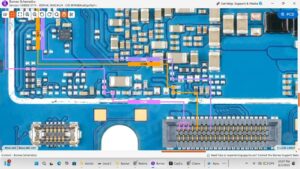
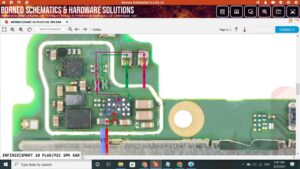
In this technical tutorial, we walk through the complete diagnostic process for the Realme Note 60 touch screen section. We cover everything from testing the touch digitizer flex cable to advanced motherboard jumper ways and IC troubleshooting. This methodology is used by professional repair centers in the USA, UK, Canada, Australia, and Germany to handle complex display and touch issues on budget-friendly smartphones.
Whether you are dealing with a software glitch, a hardware connection issue, or a broken path on the PCB, this video provides a step-by-step walkthrough to restore your device. We use professional diagnostic tools and soldering techniques to ensure a long-lasting repair that saves you the cost of a full screen replacement.
Realme Note 60 touch screen not working solution
Realme Note 60 touch jumper ways and PCB tracing
Testing touch screen voltage and signal paths
Professional display and digitizer repair techniques
Troubleshooting Realme Note 60 black screen and touch lag
For more professional smartphone hardware repair solutions and global technician training, subscribe to the channel
realme note 60 touch screen not working, realme note 60 touch problem, realme note 60 touch jumper ways, realme note 60 digitizer repair, how to fix realme note 60 touch, realme note 60 screen replacement, mobile hardware repair, realme note 60 touch ic solution, smartphone touch screen fix, realme note 60 display light and touch, realme note 60 pcb jumper, mobile technician guide, realme note 60 touch glass repair, realme note 60 x653 touch ways