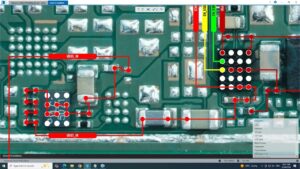
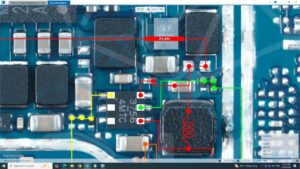
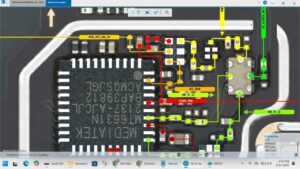
✅ Realme Q3 Pro 5G Dead Solution | Input Output Voltage Repair | RMX2205 Fix
In this video, I'll show you the complete step-by-step dead solution for the
Realme Q3 Pro 5G (RMX2205), including how to check input and output voltages
on the charging circuit, identify faulty components, and bring your dead
Realme Q3 Pro back to life using board-level repair techniques.
🔧 What's Covered in This Video:
► Realme Q3 Pro 5G complete dead condition diagnosis
► How to check input voltage at charging port
► Output voltage testing on power IC & battery connector
► Identifying short circuits and open faults
► Realme Q3 Pro 5G charging IC replacement
► Tools used: Multimeter, DC Power Supply, Hot Air Rework Station
📱 Device Info:
Model: Realme Q3 Pro 5G | RMX2205
Chipset: MediaTek Dimensity 1100 5G
Battery: 4500mAh | 50W Flash Charge
⚡ Common Causes of Dead Realme Q3 Pro 5G:
– Water damage / liquid ingress
– Charging port fault
– Dead charging IC or PMIC
– Short circuit on battery line
– Blown fuse on charging path
– Corrupt firmware (software dead)
🛠️ Tools & Equipment Recommended:
– Digital Multimeter (DC Voltage mode)
– DC Bench Power Supply
– Hot Air Rework Station (850°C)
– Soldering Iron & Flux
– Realme Q3 Pro 5G Schematic / Diagram
📌 Related Searches:
Realme Q3 Pro dead solution | RMX2205 dead fix | Realme Q3 Pro not turning on |
Realme Q3 Pro charging problem | Realme Q3 Pro voltage repair |
Realme board level repair | MediaTek Dimensity 1100 dead solution
👍 If this video helped you, LIKE, SHARE & SUBSCRIBE for more mobile repair tutorials!
🔔 Hit the Bell Icon to never miss a repair video.
#RealmeDead #RealmeQ3Pro5G #InputOutputVoltage #MobileRepair #BoardLevelRepair
#RMX2205 #DeadSolution #ChargingFault #RealmeFix #MobileRepairTutorial