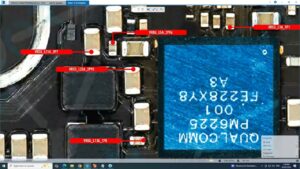
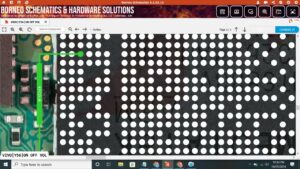
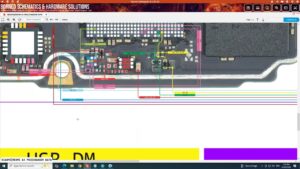
If your Redmi 15 4G charging problem, you are not alone. This is one of the most common hardware issues reported by Redmi users. In this repair guide, we will show you exactly how to fix the redmi 15 4g charging problem using a step-by-step method that has been tested and verified. Watch the full video tutorial below and follow the written steps carefully.
Is your Redmi 15 4G not charging at all? Did your Redmi 15 4G suddenly stop charging after a drop or water damage?
Redmi 15 4G charging solution is here! In this video, we cover the complete charging problem fix for Redmi 15 4G including charging IC, charging port, and motherboard-level repair steps.
📱 Compatible Models:
Redmi 15 4G | Redmi 15 | Redmi 15C | Redmi Note 15 4G variants
✅ Problems Solved:
✔ Redmi 15 4G not charging at all
✔ Charging slowly or charging stopped
✔ USB port not detecting charger
✔ Battery draining while plugged in
✔ Charging IC fault on motherboard
🔧 Tools & Parts Used:
🔧 Soldering Iron & Hot Air Gun
🔧 Charging IC / Charging Port Flex
🔧 Multimeter for voltage testing
🔧 Jumper Wire & PCB Cleaning Solution
🔔 Subscribe to SANYO MOBILE for daily mobile repair solutions!
🔍 Related Searches:
Redmi 15 4G charging problem solution
Redmi 15 4G not charging fix
Redmi 15 charging IC solution
Redmi 15 4G USB port repair
Redmi 15 4G motherboard charging fault
Redmi 15 charging jumper solution
Redmi 15 4G dead after charging
Redmi 15 4G charging ways
#Redmi15 #Redmi154G #ChargingSolution #ChargingProblem #MobileRepair #RedmiRepair #ChargingIC #MobileSolution #RedmiFix #ChargingFix #SmartphoneRepair #RedmiCharging #MobileChargingProblem #BoardRepair #SanyoMobile
How to Fix Redmi 15 4G charging problem — Step-by-Step Guide
- Clean the charging port with a soft brush or toothpick — lint buildup is a common cause.
- Try a different original cable and charger adapter.
- Restart the phone and try charging again.
- Check if the phone charges in recovery mode.
- Open the device and inspect the charging port for bent pins or corrosion.
- Test voltage on charging IC using a multimeter.
- Replace the charging port flex cable if damaged.
- If charging IC is faulty, it requires board-level micro-soldering.
Tools You May Need
- Screwdriver set (Phillips & Pentalobe)
- Plastic pry tool / spudger
- Tweezers
- Multimeter (for advanced diagnosis)
- Soldering iron (if board-level repair is needed)
Important Tips Before You Start
- Always power off the device before opening it.
- Take photos before disconnecting any cables so you remember where each connector goes.
- Work on a clean, well-lit surface to avoid losing small screws.
- If the phone is under warranty, contact Redmi service centre first.
Final Words
We hope this guide helped you solve the redmi 15 4g charging problem problem. If the issue persists after following all the steps, the problem may require a board-level repair or component replacement. Visit a professional mobile repair technician in that case. For more repair guides like this, browse our full repair library or subscribe to our YouTube channel for daily video tutorials.