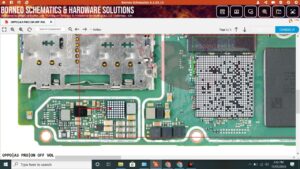
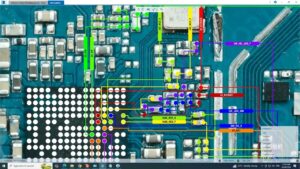
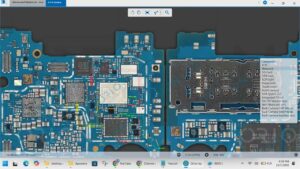
✅ Redmi K30 Ultra Charging Solution | Not Charging Fix | USB Ways & Jumper | M2006J10C
In this video, I'll walk you through the complete charging solution for the
Redmi K30 Ultra (M2006J10C) — covering hardware-level diagnosis, USB port
ways, charging IC testing, input/output voltage checks, and jumper solutions
for broken charging tracks on the PCB.
🔧 What's Covered in This Video:
► Redmi K30 Ultra complete charging fault diagnosis
► Checking USB-C port input voltage
► Testing output voltage on battery & PMIC lines
► Identifying open/short circuit on charging path
► Charging IC (BQ25968) testing & replacement
► USB dock flex board inspection & replacement
► Jumper solution for broken charging track
► 33W Turbo Charge circuit verification
📱 Device Info:
Model: Redmi K30 Ultra | M2006J10C
Chipset: MediaTek Dimensity 1000+ (MT6889Z)
Battery: 4500mAh | 33W Fast Charging (Turbo Charge)
Charging IC: BQ25968 / PMIC MT6360
⚡ Common Causes of Redmi K30 Ultra Charging Failure:
– Damaged USB-C charging port / dock flex
– Blown fuse on charging input line
– Faulty or dead charging IC
– Short circuit on VBUS or battery line
– Damaged charging track on PCB (needs jumper)
– Water damage / corrosion on motherboard
🛠️ Tools & Equipment Used:
– Digital Multimeter (DC Voltage mode)
– DC Bench Power Supply
– Hot Air Rework Station
– Soldering Iron, Flux & Solder Wire
– Redmi K30 Ultra Schematic / PCB Diagram
📌 Related Searches:
Redmi K30 Ultra charging solution | M2006J10C not charging | Redmi K30 Ultra USB ways |
Redmi K30 Ultra charging jumper | Redmi K30 Ultra PCB repair | Xiaomi charging IC fix |
Dimensity 1000 plus dead solution | Redmi K30 Ultra dock flex replacement
⏱️ Chapters — See Timestamps Below ⬇️
👍 If this video helped you, LIKE, SHARE & SUBSCRIBE for daily mobile repair tutorials!
🔔 Hit the Bell Icon so you never miss a repair video.
#RedmiK30Ultra #ChargingSolution #NotChargingFix #XiaomiRepair #USBWays
#ChargingJumper #M2006J10C #BoardLevelRepair #MobileRepair #PCBRepair