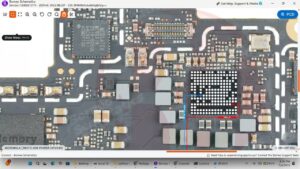
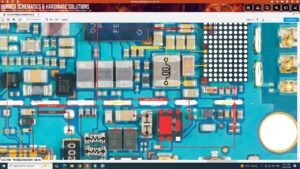
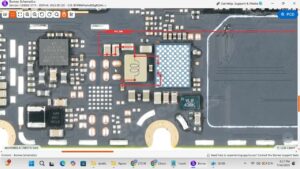
Is your Samsung A06 power button or volume keys completely dead or not clicking properly? Tired of struggling with unresponsive side buttons and no solution in sight?
This video provides the complete Samsung A06 power button and volume keys solution with a detailed step-by-step hardware repair guide. Whether the fault is a damaged flex cable, broken button, or a motherboard-level button IC issue, every fix is covered in this video.
📱 Compatible Models:
Samsung A06, Samsung A06s, Samsung A05, Samsung A05s, Samsung A07, Samsung A15
Problems Solved:
✔ Samsung A06 power button completely dead
✔ Volume up / volume down keys not responding
✔ Side buttons physically stuck or broken
✔ Button flex cable torn or disconnected
✔ Motherboard button IC fault or jumper needed
Tools & Parts Used:
🔧 Samsung A06 Power & Volume Button Flex Cable
🔧 Soldering Iron & Jumper Wire
🔧 Flux & Solder Paste
🔧 Screwdriver Set & Plastic Spudger
🔔 Subscribe to SANYO MOBILE for daily mobile repair solutions!
Related Searches:
samsung a06 power button solution
samsung a06 volume keys not working fix
samsung a06 side button repair
samsung a06 button flex cable replacement
samsung a06 power key jumper solution
samsung a06 motherboard button fault fix
samsung a06 volume button repair guide
samsung a06 hardware button solution
#SamsungA06 #SamsungA06Repair #PowerButtonSolution #VolumeKeysSolution #SamsungA06Fix #ButtonRepair #MobileRepair #PhoneRepair #SamsungRepair #SideButtonFix #FlexCableRepair #ButtonICSolution #SamsungA06Solution #SmartphoneRepair #SanyoMobile
Samsung • Power Solution