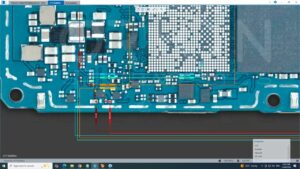
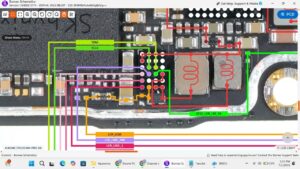
If your Samsung A16 touch screen not working, you are not alone. This is one of the most common hardware issues reported by Samsung users. In this repair guide, we will show you exactly how to fix the samsung a16 touch screen not working using a step-by-step method that has been tested and verified. Watch the full video tutorial below and follow the written steps carefully.
samsunga16 #touchnotworking #touchfix #mobilerepair #hardwaresolution #touchscreen #tech
Is your Samsung A16 touch screen frozen, ghost touching, or completely unresponsive? Don't change the display yet!
In this video, I provide the complete Samsung A16 touch not working solution using professional hardware troubleshooting and jumper repair methods.
This step-by-step guide covers the full touch section analysis on the motherboard. Whether you are dealing with a water-damaged connector, broken tracks, or missing voltage lines (1.8V / 3.0V), this schematic-level tutorial reveals exactly how to restore touch functionality without expensive part replacements.
🔧 What you will learn:
Samsung A16 touch section tracing and schematic reading.
Complete touch connector voltage testing and value checking.
How to fix "touch not working" after water damage or drop.
Samsung A16 touch jumper ways and component replacement.
Professional logic board repair standards used in USA, UK, and German service centers.
This tutorial is designed for mobile technicians and repair enthusiasts seeking a permanent fix for touch sensitivity issues. Follow these safe, monetization-friendly instructions to get your phone working perfectly again.
#samsungrepair #galaxya16 #microsoldering #touchrepair #electronics #fixit #techsupport #repairshop #mobiletechnician #diyrepair
How to Fix Samsung A16 touch screen not working — Step-by-Step Guide
- Power off the Samsung A16 completely.
- Clean the screen surface with a microfiber cloth — dust or moisture can cause touch issues.
- Restart the phone and test the touch in Safe Mode (hold Power → long press Power Off).
- If touch works in Safe Mode, a third-party app is causing the issue — uninstall recent apps.
- Open Settings → Display → check touch sensitivity settings.
- If the problem persists, open the device and re-seat the display flex cable on the motherboard.
- Test with a known-working replacement display to confirm if the panel is faulty.
- Replace the display/digitiser assembly if the flex cable is damaged or the panel is cracked internally.
Tools You May Need
- Screwdriver set (Phillips & Pentalobe)
- Plastic pry tool / spudger
- Tweezers
- Multimeter (for advanced diagnosis)
- Soldering iron (if board-level repair is needed)
Important Tips Before You Start
- Always power off the device before opening it.
- Take photos before disconnecting any cables so you remember where each connector goes.
- Work on a clean, well-lit surface to avoid losing small screws.
- If the phone is under warranty, contact Samsung service centre first.
Final Words
We hope this guide helped you solve the samsung a16 touch screen not working problem. If the issue persists after following all the steps, the problem may require a board-level repair or component replacement. Visit a professional mobile repair technician in that case. For more repair guides like this, browse our full repair library or subscribe to our YouTube channel for daily video tutorials.