#SamsungA17 #PowerButtonFix #VolumeKeySolution #MobileRepair #SamsungRepair #HardwareSolution #PowerKeyWays
Samsung Galaxy A17 power button or volume keys not working? This professional hardware repair guide provides the ultimate solution for unresponsive side buttons and power key tracks.
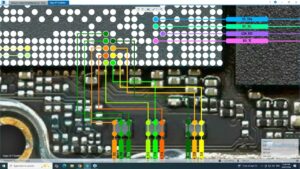
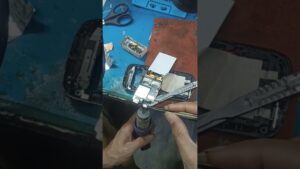
In this technical tutorial, we demonstrate how to diagnose and fix Samsung A17 power and volume button problems. We cover motherboard connector cleaning, flex cable replacement, and precise jumper solutions for broken tracks. This guide is essential for technicians in the USA, UK, Canada, and Australia looking for high-quality smartphone hardware diagnostic methods and professional repair standards.
Technical Overview:
Samsung Galaxy A17 Power Key Ways and Jumper Solution
Volume Up/Down button circuit troubleshooting
Motherboard button connector cleaning and repair
Professional diagnostic for "Auto Power On" or "Stuck Button" issues
Component level repair for Samsung A-series smartphones
Compatible Models: Samsung Galaxy A17 (All Global Variants).
samsung a17 power button not working, samsung a17 volume key solution, samsung a17 power key ways, samsung a17 volume button jumper, samsung a17 power on off solution, mobile hardware repair, samsung a17 side key fix, how to fix samsung a17 power button, smartphone button repair, samsung a17 schematic diagram, samsung a17 restart problem solution, professional mobile technician