#SamsungA515G #DeadSolution #VoltageFix #MobileRepairing #PowerIC #HardwareRepair #SanyoMobile
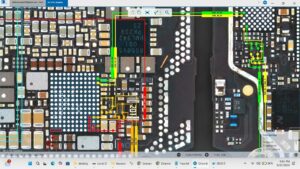
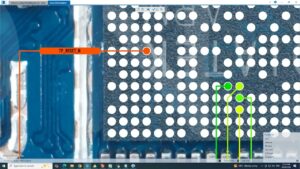
Samsung A51 5G dead and not turning on? This video shows the exact input and output voltage testing procedure to find the hardware solution step by step.
If your Samsung Galaxy A51 5G is completely dead, this professional motherboard diagnostic guide will help you check the VBAT, VPH_PWR, and secondary output voltages. We provide a deep-dive repair solution for technicians in the USA, UK, Canada, and Germany to solve power issues without unnecessary IC replacement.
Hardware Problems Solved:
✔ Samsung A51 5G Dead After Charging or Drop
✔ Missing Input/Output Voltages on Power IC
✔ Short Circuit Troubleshooting (Primary & Secondary)
✔ VCC & VDD Main Voltage Diagnostics
✔ DC Power Supply Reading Analysis
Professional Tools Used:
🔧 Digital Multimeter (Auto-range)
🔧 DC Power Supply (30V 5A)
🔧 Micro-Soldering Station
🔧 Samsung A51 5G Schematic Diagram / Bitmaps
Smartphone PCB diagnostics, mobile motherboard repair, power management IC, voltage line bypass, component-level troubleshooting, OEM hardware repair, technical circuit analysis.
Subscribe to SANYO MOBILE for advanced hardware repair solutions and mobile engineering tips.
#SamsungRepair #GalaxyA51 #MotherboardRepair #TechRepair #ICReplacement #HardwareFix #sanyomobile
samsung a51 5g dead solution, samsung a51 5g input output voltages, samsung a51 5g power ic voltage, a51 5g not turning on fix, samsung a51 5g dead recovery, how to check mobile voltages, samsung a51 5g charging voltage, a51 5g power section repair, mobile dead solution hardware, samsung a51 5g vph pwr voltage, samsung a51 5g schematic repair