#SamsungA07 #AudioICRepair #MobileRepairing #SamsungRepair #NoSoundFix #MicProblem #HardwareRepair
Samsung Galaxy A07 audio still not working after basic fixes? In Part 2, we tackle advanced Audio IC reballing and motherboard circuit tracing to restore full sound functionality.
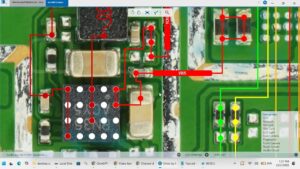
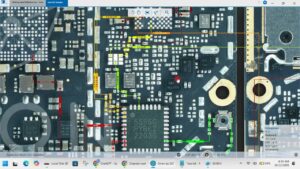
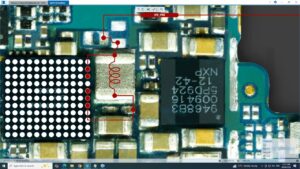
If your Samsung A07 has no sound from the loud speaker, earpiece, or microphone even after replacing parts, the issue lies deep in the PCB audio circuit. This professional repair guide provides a step-by-step walkthrough of IC replacement, voltage checking at the audio capacitor, and signal tracing for a 100% permanent fix.
Key Technical Solutions in Part 2:
Samsung Galaxy A07 Audio IC identification and removal
PMIC to Audio Section power rail testing (V-Reg)
Troubleshooting I2S and Digital Audio signals for One UI 8.0
Expert reballing and soldering for Samsung A-series audio chips
Final testing: Speaker, Ringer, and Mic sensitivity calibration
This hardware solution is optimized for professional technicians in the USA, UK, Canada, Australia, and Germany. Mastering these circuit-level repairs ensures high-paying client satisfaction and long-term device reliability. Follow the schematic paths carefully to avoid damaging the surrounding CPU and power components.
Subscribe for more advanced hardware solutions from SANYO MOBILE!
samsung a07 audio ic repair, samsung a07 no sound solution part 2, samsung galaxy a07 mic ic way, samsung a07 speaker ic problem, samsung a07 earpiece audio circuit, samsung a07 audio ic reballing, samsung a07 motherboard sound fix, samsung a07 audio ic voltage, mobile hardware repairing 2026, samsung a07 circuit diagram sound, samsung a07 ringer ic way, smartphone ic replacement guide