Is your Samsung Galaxy S10+ not charging or showing no battery after connector damage? Did your S10+ battery connector get ripped off the motherboard during repair?
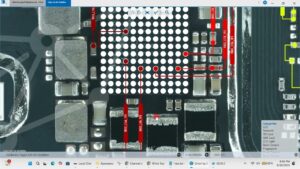
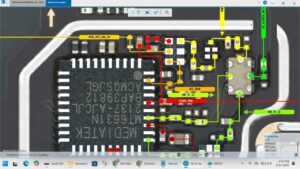
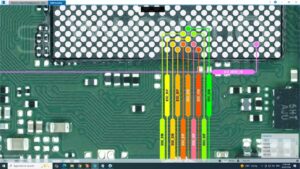
Samsung S10+ battery connector solution is fully covered in this video — we show the exact motherboard pads, jumper points, and reballing method to restore the battery connection on SM-G975F. Whether the connector is torn, lifted, or missing pads, this complete board-level fix will get your phone powered back on.
📱 Compatible Models:
Samsung Galaxy S10+ / S10 Plus (SM-G975F, SM-G975U, SM-G975N, SM-G9750)
✔ Samsung S10+ battery connector torn off motherboard
✔ Missing or damaged battery connector pads fix
✔ Phone dead after battery connector pulled off
✔ No battery detected after connector damage
✔ Battery connector jumper wire solution on S10+
🔧 DC Power Supply (Regulated)
🔧 Hot Air Rework Station & Soldering Iron
🔧 Samsung S10+ Schematics & Boardview
🔧 Jumper Wire, Flux & Battery Connector Part
🔔 Subscribe to SANYO MOBILE for daily board-level mobile repair solutions you won't find anywhere else!
🔍 Related Searches:
Samsung S10+ battery connector solution
SM-G975F battery connector repair
Samsung Galaxy S10 Plus battery connector torn off
Samsung S10+ no battery detected fix
Samsung S10 Plus motherboard battery pads repair
SM-G975F battery connector jumper solution
Samsung S10+ dead after battery connector damage
Samsung Galaxy S10+ charging solution motherboard
#SamsungS10Plus #BatteryConnectorSolution #SMG975F #SamsungS10Repair #BatteryConnectorFix #MobileRepair #MotherboardRepair #SamsungRepair #BoardLevelRepair #BatteryPadsFix #SamsungDeadSolution #ChargingSolution #JumperWireFix #MobileTechnician #SanyoMobile
Samsung • Charging Solution