SamsungZFold5 #PowerButtonFix #VolumeKeySolution #ZFold5Repair #SamsungHardware #MobileRepairing #TechRepair
Is your Samsung Galaxy Z Fold 5 power button or volume keys not responding? Don't panic—this professional hardware repair guide shows you exactly how to fix unresponsive or stuck buttons.
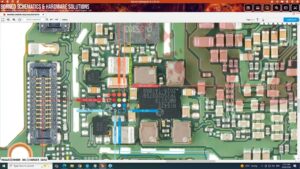
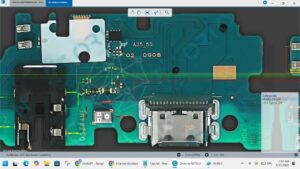
In this comprehensive tutorial, we provide the Samsung Z Fold 5 Power & Volume Keys Solution, including detailed motherboard track tracing and flex cable replacement steps. This video is designed for professional technicians and DIY enthusiasts in the USA, UK, Canada, Australia, and Germany who need precise hardware solutions for the Galaxy Z Fold series. We cover the F946 model specifically to ensure your device returns to full functionality without unnecessary part replacements.
Topics Covered in This Video:
Samsung Z Fold 5 Power button not working hardware fix
Volume Up and Down key track jumper ways
Cleaning and servicing oxidized button contacts
How to safely open Z Fold 5 for button repair
Samsung F946 power flex cable replacement guide
samsung z fold 5 power button solution, samsung z fold 5 volume button not working, z fold 5 power key jumper ways, samsung f946 power button fix, galaxy z fold 5 volume key repair, samsung z fold 5 power flex replacement, mobile phone repair training, samsung hardware repair usa, fix stuck power button z fold 5, samsung z fold 5 volume up down not working, how to repair samsung z fold 5 keys, samsung fold 5 button tracks.
#SamsungGalaxy #ZFold5 #RepairGuide #SmartphoneRepair #HardwareSolution #SamsungFold #TechFix #MobileTechnician #ZFold5Tips