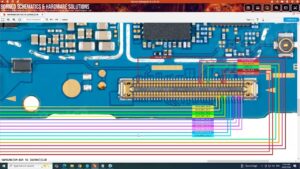
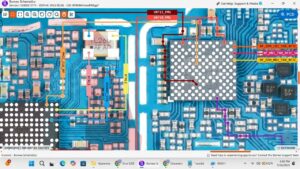
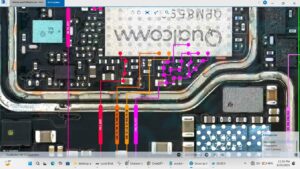
#TecnoCamon40 #DeadSolution #InputOutputVoltages #MobileRepair #HardwareRepair #PhoneRepair #TechRepair
Is your Tecno Camon 40 completely dead and not powering on? Learn how to diagnose the fault by checking the input and output voltages using professional hardware repair techniques.
This video explains the Tecno Camon 40 Input Output Voltages Dead Solution, covering power line diagnosis, motherboard voltage testing, and hardware troubleshooting methods used by professional mobile repair technicians.
In This Video:
Tecno Camon 40 Dead Solution
Input Voltage Checking
Output Voltage Diagnosis
Power IC Voltage Testing
Motherboard Power Line Inspection
Hardware Troubleshooting
Professional Mobile Repair Guide
Dead Boot Repair Process
PCB Level Diagnosis
Technician Repair Tutorial
Whether your Tecno Camon 40 shows no power, no boot, or no response, this repair guide demonstrates systematic voltage testing to help identify hardware faults before component replacement.
Perfect for mobile repair technicians, training institutes, and repair businesses in USA, UK, Canada, Australia, Germany, and worldwide.
👍 Like • Share • Subscribe for more professional smartphone hardware repair videos and advanced motherboard diagnostics.
tecno camon 40 dead solution, tecno camon 40 input output voltages, tecno camon 40 no power solution, tecno camon 40 dead boot repair, tecno camon 40 motherboard repair, tecno camon 40 voltage check, tecno camon 40 power ic repair, tecno camon 40 hardware solution, tecno camon 40 pcb repair, tecno camon 40 power line diagnosis, tecno camon 40 repair, mobile repair, mobile hardware repair, dead phone repair, input voltage testing, output voltage testing, motherboard troubleshooting, pcb diagnosis, gsm repair, technician training, smartphone repair, electronics repair