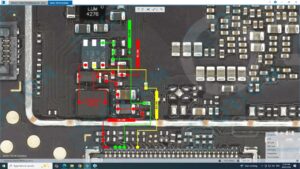
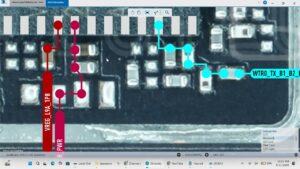
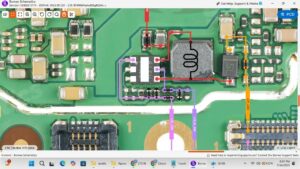
Is your Vivo Y36 5G WiFi, Bluetooth, or GPS not working?
Struggling with no signal, greyed out toggles, or location issues?
This video gives you the complete Vivo Y36 5G WiFi Bluetooth GPS solution with a full motherboard-level repair guide. We cover every possible cause — from software glitches to network IC and combo chip replacement on the Vivo Y36 5G PCB.
📱 Compatible Models:
Vivo Y36 5G | Vivo Y36 4G | Vivo Y35 5G | Vivo Y38 5G | Vivo Y56 5G
✔ WiFi not turning on or connecting
✔ Bluetooth greyed out or not detecting devices
✔ GPS not working or location not found
✔ Network combo IC failure on motherboard
✔ All wireless signals dead after water damage or drop
🔧 Tools & Parts Used:
🔧 Network Combo IC / WiFi Bluetooth GPS Chip
🔧 Hot Air Rework Station
🔧 BGA Reballing Kit & Stencil
🔧 Flux Paste & Soldering Iron
🔧 Multimeter for circuit testing
🔔 Subscribe to SANYO MOBILE for daily mobile repair solutions!
Related Searches:
vivo y36 5g wifi solution | vivo y36 5g bluetooth not working fix | vivo y36 5g gps problem solution | vivo y36 network ic jumper | vivo y36 5g combo ic replacement | vivo y36 wifi greyed out fix | vivo y36 5g motherboard repair | vivo y36 5g signal solution
#VivoY365G #WiFiSolution #BluetoothFix #GPSSolution #VivoRepair #NetworkIC #VivoY36Repair #ComboIC #MotherboardRepair #MobileRepair #VivoFix #WiFiNotWorking #GPSNotWorking #BluetoothNotWorking #SanyoMobile
Vivo • WiFi Solution