#VivoY400 #VivoY400DeadSolution #MobileRepairing #VoltageTesting #ChargingIC #PwrIC #VivoRepair
Is your Vivo Y400 4G completely dead or not charging? In this professional technician guide, we demonstrate the step-by-step input and output voltage testing process to fix any power-related issue.
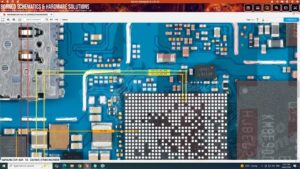
If your device is stuck on 0.6A or shows no sign of life on the DC Power Supply, this video covers the exact schematic-based troubleshooting for the Vivo Y400 power section. We analyze the VPH_PWR, VBUS, and LDO output voltages to pinpoint the faulty component. This repair methodology is used by top micro-soldering labs in the USA, UK, and Canada for professional motherboard diagnostics.
Key Topics Covered:
Vivo Y400 4G Dead Boot Repair
Charging IC (SMB) Input and Output Voltage Check
Power IC (PMIC) S2, S3, S4 Buck Coil Voltages
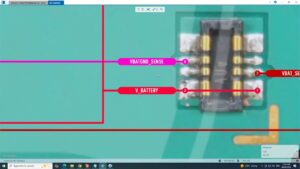
Battery Connector V-Batt Path Shorting Fix
DC Power Supply Reading Analysis for Vivo 2026 Models
This tutorial is designed for mobile phone technicians looking for high-level hardware solutions and schematic diagrams. Ensure you follow the safety protocols for ESD-safe repair environments
Vivo Y400 4G dead solution, Vivo Y400 voltage details, Vivo Y400 4g charging ways, Vivo Y400 power ic voltage, Vivo Y400 dead boot repair, Vivo Y400 input output voltage, how to fix Vivo Y400 dead, Vivo Y400 charging ic output, Vivo Y400 4g power sequence, mobile repairing course, Vivo Y400 schematics, Vivo Y400 4G auto current solution, Vivo Y400 dead recovery