Is your Samsung S9 Plus battery connector damaged, burnt, or not making proper contact?
Did your phone stop charging or show no battery after a repair or accidental damage?
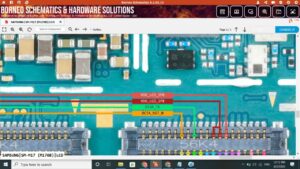
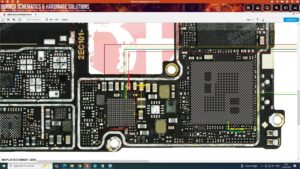
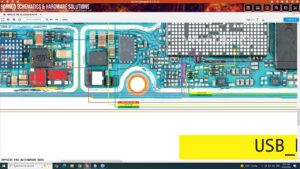
This video gives you the complete Samsung S9 Plus battery connector solution with full motherboard-level battery socket diagnosis and jumper repair guide. We cover every possible cause — from burnt battery connector pins to damaged battery line IC and broken power rails on the Samsung S9 Plus PCB.
📱 Compatible Models:
Samsung S9 Plus | Samsung S9 | Samsung S8 Plus | Samsung S8 | Samsung S10 Plus | Samsung Note 8
✔ Battery connector pins burnt or physically damaged
✔ Phone not detecting battery or showing no battery
✔ Charging not working due to connector fault
✔ Battery connector pads lifted from motherboard
✔ Phone dead after battery connector replacement failure
🔧 Tools & Parts Used:
🔧 Battery Connector Socket for Samsung S9 Plus
🔧 Hot Air Rework Station & Soldering Iron
🔧 Multimeter for battery line voltage testing
🔧 Flux Paste & Jumper Wire
🔧 BGA Reballing Kit & PCB Cleaning Solution
🔔 Subscribe to SANYO MOBILE for daily mobile repair solutions!
Related Searches:
samsung s9 plus battery connector solution | samsung s9 plus battery not detected fix | samsung s9 plus battery connector burnt repair | samsung s9 plus no battery fix | samsung s9 plus battery connector jumper | samsung s9 plus battery line repair | samsung s9 plus battery connector replacement | samsung s9 plus dead after battery connector fix
#SamsungS9Plus #BatteryConnector #BatteryConnectorSolution #SamsungRepair #BatteryFix #ConnectorRepair #SamsungS9PlusRepair #BatteryLineJumper #NoBatteryFix #MobileRepair #SamsungFix #BatterySocketRepair #MotherboardRepair #ChargingSolution #SanyoMobile
Samsung • Charging Solution