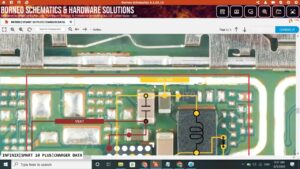
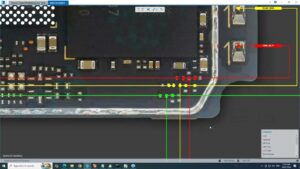
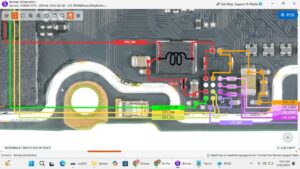
Is your Samsung A36 touch screen not responding or completely dead?
Tried everything but touch still not working on your Samsung Galaxy A36?
In this video I show you the complete Samsung A36 touch screen solution — including jumper points, touch IC repair, connector check, and full hardware solution using professional mobile repairing techniques.
📱 Compatible Models:
Samsung Galaxy A36 (2025)
Samsung Galaxy A35 / A34 (similar layout)
Samsung Galaxy A36 5G
Related Samsung A-series models
✔ Problems Solved:
✔ Samsung A36 touch screen not working
✔ Samsung A36 display touch dead
✔ Touch not responding after drop
✔ Samsung A36 ghost touch problem
✔ Touch working partially — half screen dead
✔ Touch stopped after water damage
✔ Touch IC jumper solution
✔ Samsung A36 display connector problem
🔧 Tools & Parts Used:
Soldering iron / hot air rework station
Samsung A36 schematic & PCB layout
Jumper wire (30–32 AWG)
Multimeter (continuity mode)
Flux paste & solder wire
Touch IC replacement
PCB cleaner / IPA solution
Microscope or magnifying glass
🔔 Subscribe for daily mobile repairing solutions:
👉 [ SUBSCRIBE NOW ] — New repair video every day!
🔍 Related Searches:
Samsung A36 touch screen solution
Samsung Galaxy A36 touch not working fix
Samsung A36 display touch dead solution
Samsung A36 touch IC jumper
Samsung A36 hardware repair 2025
Samsung A36 ghost touch solution
Samsung A36 touch screen replacement
mobile repairing touch solution
Samsung A36 PCB diagram
Samsung A series touch solution
#SamsungA36 #SamsungA36Repair #TouchScreenSolution #SamsungA36Fix #MobileRepairing #SamsungRepair #TouchNotWorking #HardwareSolution #JumperSolution #SamsungA36TouchDead #MobileRepairTips #SamsungGalaxyA36 #PCBRepair #TouchICSolution #SanyoMobile