Is your Realme C75 WiFi not connecting, Bluetooth not pairing, or GPS not tracking your location? Struggling with all three wireless issues at the same time and no solution in sight?
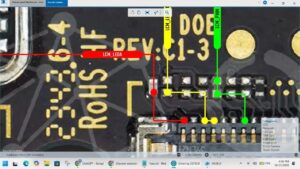
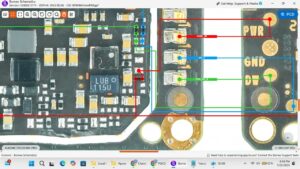
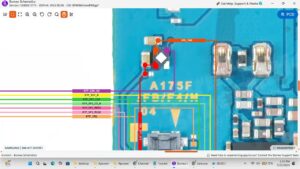
This video delivers the complete Realme C75 WiFi Bluetooth GPS solution with a full motherboard-level hardware repair guide. Whether the fault is a damaged combo IC, broken antenna wire, or a faulty WiFi Bluetooth GPS chip on the motherboard, every possible fix is covered in this video.
📱 Compatible Models:
Realme C75, Realme C65, Realme C55, Realme C53, Realme C35, Narzo N65
Problems Solved:
✔ Realme C75 WiFi not connecting or greyed out
✔ Bluetooth not turning on or not pairing with devices
✔ GPS not detecting location or signal very weak
✔ WiFi Bluetooth GPS combo IC fault on motherboard
✔ Antenna wire damaged or wireless signal path broken
Tools & Parts Used:
🔧 Realme C75 WiFi Bluetooth GPS Combo IC
🔧 IC Reballing Kit & BGA Stencil
🔧 Soldering Iron, Hot Air Gun & Flux
🔧 Screwdriver Set & Plastic Spudger
🔔 Subscribe to SANYO MOBILE for daily mobile repair solutions!
Related Searches:
realme c75 wifi solution
realme c75 bluetooth solution
realme c75 gps solution
realme c75 wifi not connecting fix
realme c75 bluetooth not working repair
realme c75 gps not working fix
realme c75 combo ic solution
realme c75 wifi bluetooth gps repair guide
#RealmeC75 #RealmeC75Repair #WiFiSolution #BluetoothSolution #GPSSolution #RealmeC75WiFi #ComboICSolution #WirelessRepair #MobileRepair #PhoneRepair #RealmeRepair #RealmeC75Fix #GPSRepair #SmartphoneWiFiFix #SanyoMobile
Realme • WiFi Solution