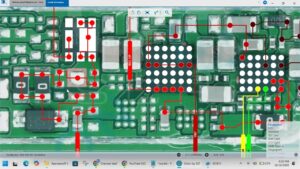
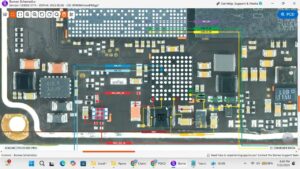
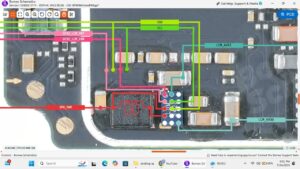
Is your Samsung A31 WiFi not connecting, Bluetooth not pairing, or GPS not tracking your location? Struggling with all three wireless issues at the same time and no solution in sight?
This video delivers the complete Samsung A31 WiFi Bluetooth GPS solution with a full motherboard-level hardware repair guide. Whether the fault is a damaged combo IC, broken antenna wire, or a faulty WiFi Bluetooth GPS chip on the motherboard, every possible fix is covered in this video.
📱 Compatible Models:
Samsung A31, Samsung A32, Samsung A30s, Samsung A30, Samsung A21s, Samsung A51
Problems Solved:
✔ Samsung A31 WiFi not connecting or greyed out
✔ Bluetooth not turning on or not pairing with devices
✔ GPS not detecting location or signal very weak
✔ WiFi Bluetooth GPS combo IC fault on motherboard
✔ Antenna wire damaged or wireless signal path broken
Tools & Parts Used:
🔧 Samsung A31 WiFi Bluetooth GPS Combo IC
🔧 IC Reballing Kit & BGA Stencil
🔧 Soldering Iron, Hot Air Gun & Flux
🔧 Screwdriver Set & Plastic Spudger
🔔 Subscribe to SANYO MOBILE for daily mobile repair solutions!
Related Searches:
samsung a31 wifi solution
samsung a31 bluetooth solution
samsung a31 gps solution
samsung a31 wifi not connecting fix
samsung a31 bluetooth not working repair
samsung a31 gps not working fix
samsung a31 combo ic solution
samsung a31 wifi bluetooth gps repair guide
#SamsungA31 #SamsungA31Repair #WiFiSolution #BluetoothSolution #GPSSolution #SamsungA31WiFi #ComboICSolution #WirelessRepair #MobileRepair #PhoneRepair #SamsungRepair #SamsungA31Fix #GPSRepair #SmartphoneWiFiFix #SanyoMobile
Samsung • WiFi Solution