Is your Oppo A5 Pro 5G power button or volume keys completely unresponsive?
Did your side buttons stop working after a drop, water damage, or motherboard repair?
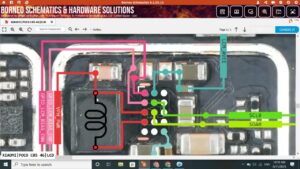
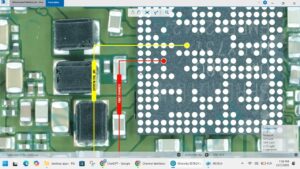
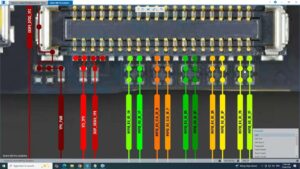
This video delivers the complete Oppo A5 Pro 5G power button volume keys problem solution with full hardware-level diagnosis and jumper ways repair on the motherboard. Learn how to trace, test, and fix all side button faults on the Oppo A5 Pro 5G using IC-level repair techniques.
📱 Compatible Models:
Oppo A5 Pro 5G, Oppo A9 5G, Oppo A5 2024, Oppo A3 Pro, Oppo A12
Problems Solved:
✔ Oppo A5 Pro 5G power button not working
✔ Volume up / volume down keys not responding
✔ Side buttons damaged after water exposure
✔ Power button jumper ways solution
✔ Volume key IC / pad damaged on motherboard
Tools & Parts Used:
🔧 Multimeter
🔧 Soldering Iron & Hot Air Gun
🔧 Jumper Wire
🔧 PCB Cleaner & Flux
🔔 Subscribe to SANYO MOBILE for daily mobile repair solutions!
Related Searches:
oppo a5 pro 5g power button solution
oppo a5 pro 5g volume keys problem fix
oppo a5 pro 5g side button jumper ways
oppo a5 pro 5g power key not working
oppo a5 pro 5g volume button repair
oppo a5 pro 5g power button ic solution
oppo a5 pro 5g keys jumper motherboard
oppo a5 pro 5g hardware button fix
#OppoA5Pro5G #PowerButtonSolution #VolumeKeysFix #OppoRepair #MobileRepair #PowerButtonJumper #VolumeButtonSolution #OppoA5Pro5GFix #SideButtonRepair #ButtonIC #MobileJumper #OppoHardwareFix #PhoneRepair #MobileRepairSolution #SanyoMobile
OPPO • Power Solution