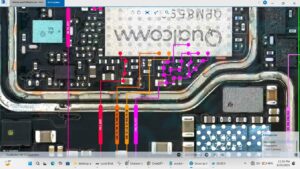
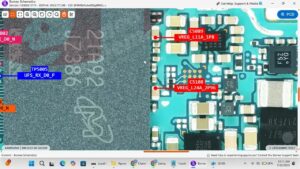
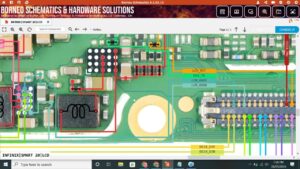
Is your vivo Y38 5G screen completely dark even though the phone is on?
Did your vivo Y38 5G backlight stop working after a drop or repair?
This video covers the complete vivo Y38 5G LCD light solution with full motherboard-level repair guidance. We show you exactly how to trace and fix the display backlight circuit on the vivo Y38 5G so your screen lights up perfectly again.
📱 Compatible Models:
vivo Y38 5G | vivo Y36 5G | vivo Y35 5G | vivo Y38 | vivo V series backlight variants
Problems Solved:
✔ vivo Y38 5G screen black but phone working
✔ Display backlight not working after LCD replacement
✔ Backlight IC failure on vivo Y38 5G motherboard
✔ vivo Y38 5G touch working but no display light
✔ Backlight coil or diode short on vivo Y38 5G
Tools & Parts Used:
🔧 DC Power Supply
🔧 Soldering Iron & Hot Air Station
🔧 Backlight IC / Boost IC
🔧 Backlight Coil & Filter
🔔 Subscribe to SANYO MOBILE for daily mobile repair solutions!
Related Searches:
vivo Y38 5G lcd light solution
vivo Y38 5G backlight ic jumper
vivo Y38 5G display not working solution
vivo Y38 5G screen black fix
vivo Y38 5G backlight coil jumper
vivo Y38 5G motherboard light problem
vivo Y38 5G lcd light ic solution
vivo Y38 5G display backlight repair
#vivoY385G #LCDLightSolution #BacklightFix #vivoRepair #DisplaySolution #MobileRepair #BacklightIC #vivoY38Repair #ScreenDarkFix #MobileRepairTips #vivoDisplay #BacklightJumper #PhoneRepair #HardwareRepair #SanyoMobile
Vivo • LCD Solution