#SamsungA515G #TouchScreenFix #DigitizerRepair #SamsungRepair #MobileRepairing #HardwareSolution #SanyoMobile
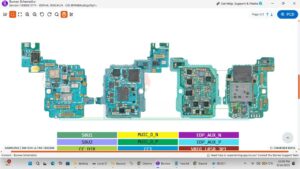
Samsung A51 5G touch screen not working after update or drop? This video shows the exact hardware solution to fix unresponsive touch problems step by step.
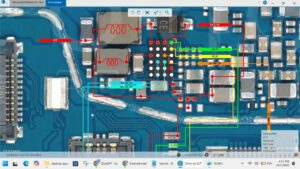
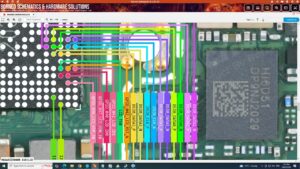
If your Samsung Galaxy A51 5G touch is stuck, lagging, or completely dead, this professional repair guide will help you troubleshoot the FPC connector, touch IC voltages, and flex cable issues. We focus on advanced repair techniques used by expert technicians in the USA, UK, Canada, and Germany to ensure a permanent fix.
Hardware Problems Solved:
✔ Samsung A51 5G Touch Screen Not Responding
✔ Partial Touch Working / Ghost Touch Fix
✔ Touch Not Working After Screen Replacement
✔ Digitizer FPC Connector Cleaning & Repair
✔ Touch IC Supply Voltage Testing
Professional Tools Used:
🔧 Precision Screwdriver Set
🔧 Digital Multimeter (Diode Mode Testing)
🔧 Isopropyl Alcohol & ESD Brush
🔧 Replacement Main Flex Cable (if needed)
Digitizer troubleshooting, Samsung A51 5G teardown, smartphone hardware diagnostics, OEM touch sensitivity, mobile PCB repair, technical circuit analysis, cell phone maintenance.
Subscribe to SANYO MOBILE for more professional mobile repair solutions and hardware troubleshooting guides.
#SamsungGalaxy #TouchProblem #SmartphoneRepair #MobileTechnician #RepairGuide #TechTips #sanyomobile
samsung a51 5g touch screen problem, samsung a51 5g touch not working, samsung a51 5g touch screen fix, a51 5g touch ic solution, samsung a51 5g touch digitizer ways, how to fix samsung a51 5g touch, samsung a51 5g touch jumper, a51 5g touch connector repair, mobile touch solution hardware, samsung a51 5g touch glass change, samsung a51 5g hardware solution