Is your Motorola Moto G72 4G screen completely dark with no backlight?
Can you hear the phone working but the display stays black with no light?
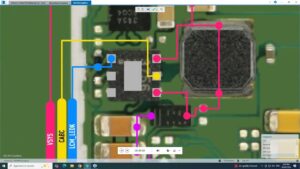
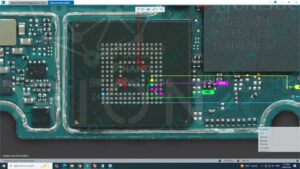
This video gives you the complete Motorola Moto G72 4G LCD light solution with full motherboard-level backlight IC diagnosis and jumper repair guide. We cover every possible cause — from blown backlight IC to damaged light coil and broken backlight lines on the Motorola Moto G72 4G PCB.
📱 Compatible Models:
Motorola Moto G72 4G | Motorola Moto G73 5G | Motorola Moto G71 5G | Motorola Moto G82 5G | Motorola Moto G62 5G | Motorola Moto G52
✔ LCD backlight completely off — dark screen no light
✔ Display visible only under direct sunlight
✔ Backlight IC blown or burnt on motherboard
✔ Light coil damaged or open circuit
✔ Backlight lines broken after drop or water damage
🔧 Tools & Parts Used:
🔧 Backlight IC Chip for Motorola Moto G72 4G
🔧 LCD Light Coil / Inductor
🔧 Hot Air Rework Station & Soldering Iron
🔧 Multimeter & DC Power Supply for backlight testing
🔧 Flux Paste & Jumper Wire
🔔 Subscribe to SANYO MOBILE for daily mobile repair solutions!
Related Searches:
motorola moto g72 4g lcd light solution | moto g72 backlight ic repair | moto g72 4g dark screen fix | motorola g72 lcd backlight jumper | moto g72 light coil solution | moto g72 4g display no backlight fix | motorola moto g72 backlight ic replacement | moto g72 4g lcd light after water damage fix
#MotoG72 #LCDLightSolution #BacklightRepair #MotorolaRepair #BacklightIC #LightCoilFix #MotoG724G #DisplayBacklight #DarkScreenFix #MobileRepair #MotorolaFix #LCDRepair #BacklightSolution #MotherboardRepair #SanyoMobile
Motorola • LCD Solution