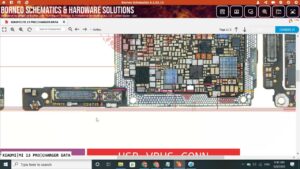
Is your OnePlus Nord N200 5G screen completely black with no backlight? Tired of replacing the LCD without fixing the real root cause of the display light problem?
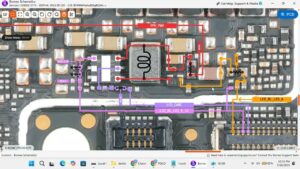
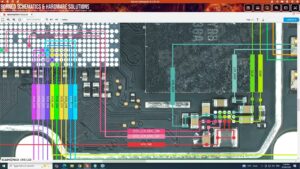
This video provides the complete OnePlus Nord N200 5G LCD light solution at the hardware and IC level. If your DE2117 display shows no backlight, dim screen, or LCD light not working after a drop or repair, this step-by-step motherboard-level fix will solve it permanently.
📱 Compatible Models:
OnePlus Nord N200 5G DE2117 | DE2118 | OnePlus Nord N10 5G | OnePlus Nord N100
✔ LCD backlight not working solution
✔ Black screen with touch working fix
✔ Display light IC solution
✔ Backlight coil & diode repair
✔ No display light after LCD replacement solution
🔧 Tools & Parts Used:
🔧 Hot Air Rework Station
🔧 Backlight IC / Boost IC
🔧 Multimeter for diode & voltage testing
🔧 Soldering Iron, Flux & Jumper Wire
▶ Subscribe to SANYO MOBILE for daily mobile repair solutions!
🔍 Related Searches:
OnePlus Nord N200 5G LCD light solution
OnePlus Nord N200 backlight not working fix
DE2117 display light solution
OnePlus Nord N200 black screen solution
OnePlus Nord N200 5G screen light IC repair
OnePlus Nord N200 backlight coil solution
OnePlus Nord N200 5G motherboard light fix
OnePlus Nord N200 display light jumper solution
#OnePlusNordN200 #LCDLightSolution #BacklightFix #NordN200Repair #DE2117Solution #DisplayLightSolution #OnePlusRepair #MobileRepair #BacklightSolution #ScreenLightFix #NordN2005G #PhoneRepair #HardwareRepair #MobileSolution #SanyoMobile
OnePlus • LCD Solution