#POCOM3Pro #LCDRepair #BacklightSolution #MobileRepair #PhoneRepair #HardwareRepair #SanyoMobile
POCO M3 Pro LCD Light Problem Solution! Learn how to fix the display backlight not working issue with a professional hardware repair method.
Watch the complete repair process and restore your POCO M3 Pro display safely using proper troubleshooting techniques.
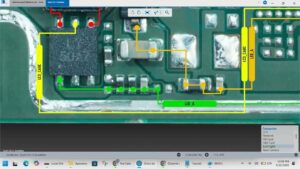
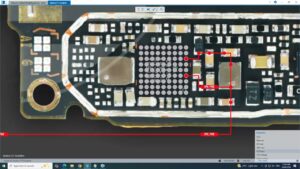
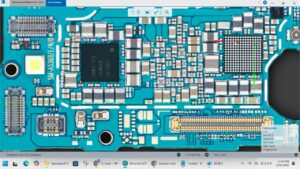
In this video, you'll learn the complete POCO M3 Pro LCD Light Problem Solution for technicians and mobile repair professionals. If your POCO M3 Pro has a black screen, no backlight, dim display, or LCD light failure after replacement, this guide will help you diagnose the hardware fault step by step.
This repair tutorial covers LCD backlight troubleshooting, display circuit inspection, voltage checking, component testing, and practical repair techniques commonly used in professional repair shops.
This video is useful for:
POCO M3 Pro LCD Light Problem
POCO M3 Pro Display Not Working
POCO M3 Pro Backlight Repair
POCO M3 Pro LCD Circuit Solution
POCO M3 Pro Screen Black Fix
Mobile Repair Technicians
Hardware Repair Training
Smartphone Repair Learning
Countries:
USA, United Kingdom, Canada, Australia, Germany
Subscribe for more professional mobile repairing videos:
SANYO MOBILE
poco m3 pro lcd problem solution, poco m3 pro lcd light solution, poco m3 pro backlight solution, poco m3 pro display problem, poco m3 pro display repair, poco m3 pro lcd repair, poco m3 pro black screen fix, poco m3 pro no display solution, poco m3 pro hardware repair, poco m3 pro lcd circuit, poco m3 pro display light problem, poco m3 pro screen repair, xiaomi poco m3 pro repair, mobile repair, smartphone repair, lcd backlight repair, display troubleshooting, mobile hardware solution, phone repair tutorial, sanyo mobile