#RealmeC17 #LCDLightFix #DisplayLightSolution #BacklightRepair #MobileRepairing #RealmeRepair #HardwareSolution
Is your Realme C17 showing a black screen despite being powered on? Fix the Realme C17 LCD light and display backlight problem today with this professional hardware repair guide.
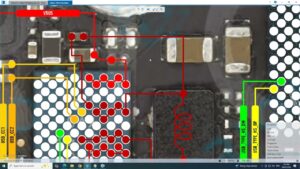
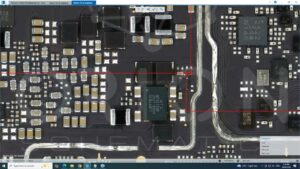
In this technical tutorial, we demonstrate how to diagnose and repair the Realme C17 display light issue at the motherboard level. We cover the backlight IC path, diode testing, and jumper solutions for broken tracks. This guide is specifically designed for professional technicians in the USA, UK, Canada, Australia, and Germany who require high-accuracy micro-soldering solutions for smartphone motherboard repair. Whether it's a water-damaged backlight circuit or a blown coil, this systematic approach will restore your screen brightness immediately.
Technical Points:
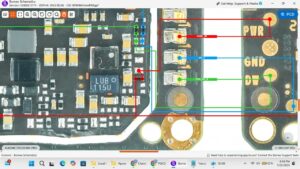
Realme C17 display light jumper diagram and ways
Testing VLED Anode and Cathode lines for voltage
Backlight IC replacement and motherboard cleaning
Display connector pin-out for light section
Professional hardware troubleshooting logic
realme c17 lcd light solution, realme c17 display light problem, realme c17 backlight fix, realme c17 lcd light jumper, realme c17 display backlight ic, realme c17 black screen solution, realme c17 display light ways, realme c17 light section hardware, mobile repairing course, smartphone motherboard repair, realme c17 display light ic change, micro soldering repair, realme c17 light ic jumper solution, technical repair guide