#Redmi13C5G #PowerButtonFix #VolumeKeySolution #MobileRepair #HardwareRepair #XiaomiRepair #TechSupport
Stuck with a broken power button or unresponsive volume keys on your Redmi 13C 5G? This professional hardware repair guide reveals the exact jumper ways and track solutions to restore your device functionality.
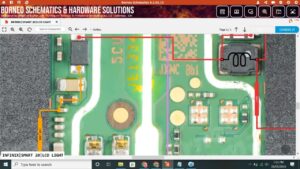
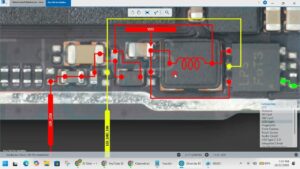
In this technical tutorial, we provide a comprehensive Redmi 13C 5G power button and volume key jumper solution. Whether you are a technician in the USA, UK, Canada, or Australia, understanding the hardware tracks for the On/Off and Volume Up/Down keys is essential for a successful repair. We break down the motherboard schematic and testing points for the power key ribbon and internal tracks to help you bypass common hardware failures.
This video covers professional mobile repairing techniques used in top service centers across Germany and the UAE. Follow along to master the Redmi 13C 5G hardware troubleshooting process and ensure a long-lasting fix for your customers or personal device.
Technical Highlights:
Redmi 13C 5G Power Button Jumper Ways
Volume Up & Down Key Track Identification
On/Off Switch Replacement & Repair
Motherboard Logic Board Troubleshooting
Professional Soldering for Side Key Ribbons
redmi 13c 5g power button solution, redmi 13c 5g volume key fix, redmi 13c 5g on off button jumper, redmi 13c 5g power key ways, redmi 13c 5g volume button not working, xiaomi redmi 13c 5g hardware repair, mobile repair training, cell phone repair USA, smartphone hardware fix UK, redmi 13c 5g power button schematic, redmi 13c 5g volume jumper way, redmi 13c 5g switch repair