#Redmi102022 #WiFiProblem #BluetoothProblem #GPSProblem #XiaomiRepair #MobileRepair #HardwareRepair
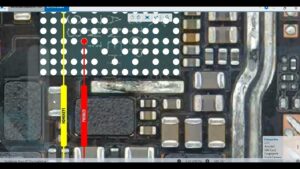
Redmi 10 2022 WiFi, Bluetooth, or GPS not working? Watch this mobile repair tutorial to understand possible causes and troubleshooting methods.
Learn how to diagnose WiFi connectivity issues, Bluetooth connection failures, and GPS location problems on the Xiaomi Redmi 10 2022.
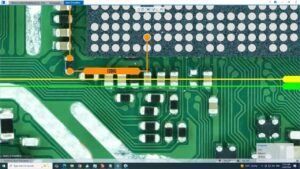
In this video, we cover the Redmi 10 2022 WiFi Bluetooth GPS problem solution, focusing on connectivity troubleshooting, software checks, and hardware diagnostics for mobile phone repair technicians.
🔧 WHAT YOU WILL LEARN
Redmi 10 2022 WiFi problem diagnosis
WiFi not turning on or connecting troubleshooting
Bluetooth not working or pairing issues
GPS location and navigation problem diagnosis
Network settings and software troubleshooting
Wireless connectivity hardware inspection
Practical mobile phone diagnostic techniques
📱 Device: Xiaomi Redmi 10 2022
🛠️ Repair Category: Mobile Hardware and Connectivity Repair
🎯 Problems Covered: WiFi, Bluetooth, and GPS
🌍 GLOBAL MOBILE REPAIR AUDIENCE
This educational repair guide is relevant to mobile technicians and smartphone repair learners in the USA, UK, Canada, Australia, and Germany who want to improve their Android troubleshooting and hardware diagnostic skills.
❓ FREQUENTLY ASKED QUESTIONS
Q1: Why is WiFi not working on Redmi 10 2022?
Possible causes include incorrect network settings, software issues, router problems, or a wireless hardware fault.
Q2: Why is Bluetooth not turning on or connecting?
Bluetooth issues may result from software glitches, pairing errors, system settings, or hardware problems.
Q3: Why is GPS not finding my location?
GPS performance can be affected by location settings, obstructed surroundings, software issues, or hardware faults.
Q4: Can hardware problems affect WiFi, Bluetooth, and GPS?
Yes. Depending on the fault, wireless circuitry, antenna connections, or related components may affect connectivity and location services.
Q5: What should I check before hardware repair?
Check software updates, connectivity settings, permissions, and basic functionality before proceeding to hardware-level diagnosis.
⚠️ REPAIR DISCLAIMER: This video is for educational and professional repair purposes. Follow proper ESD precautions and manufacturer-recommended procedures. Hardware repairs should be performed by qualified technicians.
👍 Like the video if it helps with your repair work.
💬 Comment below with your Redmi 10 2022 WiFi, Bluetooth, or GPS issue.
🔔 Subscribe to SANYO MOBILE for more mobile repair solutions, smartphone troubleshooting, and hardware repair tutorials.
#XiaomiRedmi #RedmiRepair #SmartphoneRepair #MobileTechnician #ElectronicsRepair
Redmi 10 2022 WiFi Bluetooth GPS problem solution, Redmi 10 2022 WiFi problem, Redmi 10 2022 Bluetooth problem, Redmi 10 2022 GPS problem, Redmi 10 WiFi not working, Redmi 10 Bluetooth not working, Redmi 10 GPS not working, Redmi 10 WiFi repair, Redmi 10 Bluetooth repair, Redmi 10 GPS repair, Xiaomi Redmi 10 2022 repair, Redmi 10 wireless connectivity problem, Redmi 10 WiFi not turning on, Redmi 10 Bluetooth pairing problem, Redmi 10 GPS location problem, Redmi 10 hardware repair, Xiaomi WiFi problem solution, Android Bluetooth problem fix, Android GPS problem solution, mobile hardware troubleshooting, mobile phone repair tutorial, smartphone connectivity repair, WiFi Bluetooth hardware repair