Is your Samsung A14 5G touch screen completely unresponsive or randomly malfunctioning?
Did your Samsung Galaxy A14 5G touch suddenly stop working after a drop or screen replacement?
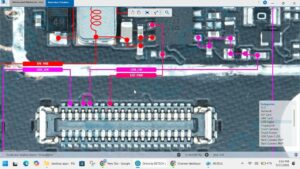
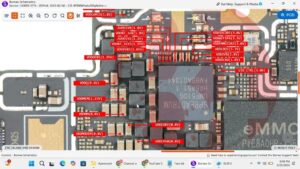
This video provides the complete Samsung A14 5G touch problem solution with professional motherboard-level diagnosis and IC-level repair. If your Samsung A14 5G touch screen is dead, working on one side only, ghost touching, or unresponsive after a new screen installation, this step-by-step repair will fix it permanently.
📱 Compatible Models:
Samsung Galaxy A14 5G | Samsung A14 5G SM-A146B | Samsung A14 5G SM-A146P | Samsung A14 SM-A145F
✔ Touch screen completely unresponsive fix
✔ Touch working on one side only solution
✔ Ghost touch & random touch flickering fix
✔ Touch IC fault diagnosis & reballing
✔ Touch dead after screen replacement repair
🔧 Hot Air Rework Station
🔧 Touch IC / Digitizer IC
🔧 BGA Reballing Kit
🔧 Multimeter for signal & voltage testing
🔔 Subscribe to SANYO MOBILE for daily mobile repair solutions — 100% FREE!
🔍 Related Searches:
Samsung A14 5G touch problem solution
Samsung A14 5G touch screen not working fix
Samsung Galaxy A14 5G touch IC repair
Samsung A14 5G SM-A146B touch solution
Samsung A14 5G ghost touch fix
Samsung A14 5G touch dead after replacement
Samsung A14 5G motherboard level touch repair
Samsung A14 5G digitizer problem solution
#SamsungA145G #SamsungA14Touch #TouchScreenFix #SamsungRepair #TouchICRepair #MobileRepair #SamsungA14Fix #DigitizerRepair #GhostTouchFix #SamsungGalaxyA14 #SamsungA146B #MotherboardRepair #TouchProblemSolution #MobileRepairSolution #SanyoMobile
Samsung • Screen Solution