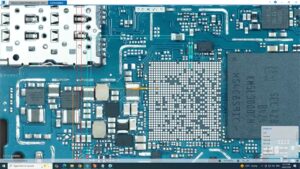
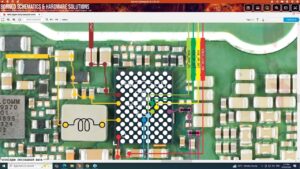
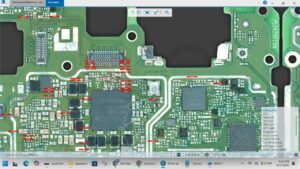
Is your Samsung A26 5G showing no SIM card inserted or SIM not detected?
Did your SIM slot stop working after a drop, water damage, or motherboard repair?
This video gives you the complete Samsung A26 5G no SIM card solution with full motherboard-level SIM IC diagnosis and jumper repair guide. We cover every possible cause — from SIM card reader failure to SIM IC and network baseband issues on the Samsung A26 5G PCB.
📱 Compatible Models:
Samsung A26 5G | Samsung A25 5G | Samsung A36 5G | Samsung A16 5G | Samsung A15 5G | Samsung A06 5G
✔ Samsung A26 5G showing no SIM card detected
✔ SIM card not reading or invalid SIM error
✔ SIM tray slot pins damaged or bent
✔ SIM IC failure on motherboard
✔ No network signal after SIM not detected
🔧 Tools & Parts Used:
🔧 SIM Card Reader Slot for Samsung A26 5G
🔧 SIM IC / Baseband CPU Chip
🔧 Hot Air Rework Station & Soldering Iron
🔧 Multimeter for SIM line voltage testing
🔧 Flux Paste & Jumper Wire
🔔 Subscribe to SANYO MOBILE for daily mobile repair solutions!
Related Searches:
samsung a26 5g no sim card solution | samsung a26 5g sim not detected fix | samsung a26 5g sim card problem | samsung a26 5g sim ic repair | samsung a26 5g invalid sim solution | samsung a26 5g sim slot repair | samsung a26 5g baseband repair | samsung a26 5g sim card not reading fix
#SamsungA265G #NoSimCard #SimNotDetected #SimCardSolution #SamsungRepair #SimICRepair #SamsungA26Repair #BasebandFix #SimSlotRepair #MobileRepair #SamsungFix #SimCardFix #NetworkSolution #MotherboardRepair #SanyoMobile
Samsung • Repair Solution