Is your Samsung S23 Ultra touchscreen completely dead or not responding to finger touch?
Did your touch screen stop working after a drop, screen replacement, or water damage?
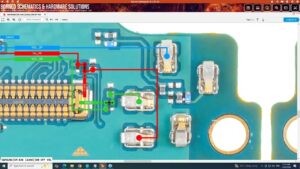
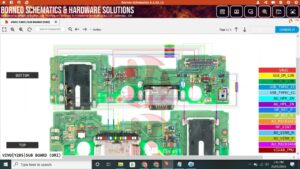
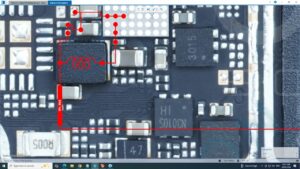
This video gives you the complete Samsung S23 Ultra touch solution with full motherboard-level touch IC diagnosis and jumper repair guide. We cover every possible cause — from touch IC failure to damaged touch flex connector and broken touch lines on the Samsung S23 Ultra PCB.
📱 Compatible Models:
Samsung S23 Ultra | Samsung S23 Plus | Samsung S23 | Samsung S22 Ultra | Samsung S24 Ultra | Samsung S21 Ultra
✔ Samsung S23 Ultra touch completely dead — no response
✔ Touch screen working partially or ghost touching
✔ Touch not working after screen replacement
✔ Touch IC failure on motherboard
✔ Touch flex connector damaged or burnt
🔧 Tools & Parts Used:
🔧 Touch IC Chip for Samsung S23 Ultra
🔧 Touch Flex Connector & Display Assembly
🔧 Hot Air Rework Station & Soldering Iron
🔧 Multimeter for touch line voltage testing
🔧 Flux Paste & BGA Reballing Stencil
🔔 Subscribe to SANYO MOBILE for daily mobile repair solutions!
Related Searches:
samsung s23 ultra touch solution | samsung s23 ultra touchscreen repair | samsung s23 ultra touch ic fix | samsung s23 ultra screen not responding solution | samsung s23 ultra ghost touch fix | samsung s23 ultra touch after drop fix | samsung s23 ultra touch flex connector repair | samsung s23 ultra touch ic motherboard solution
#SamsungS23Ultra #TouchSolution #TouchscreenRepair #SamsungRepair #TouchIC #GhostTouchFix #SamsungS23UltraRepair #TouchFlexFix #TouchNotWorking #MobileRepair #SamsungFix #TouchICRepair #ScreenSolution #MotherboardRepair #SanyoMobile
Samsung • Screen Solution