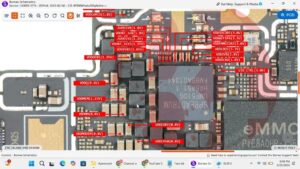
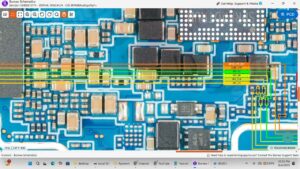
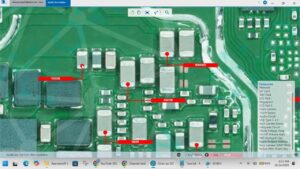
✅ Tecno Pova Neo 5G LCD Light Solution | Display Backlight Problem Fix
Is your Tecno Pova Neo 5G showing NO display light, a dim screen,
white screen, or black screen? In this video, we provide a 100%
tested LCD light solution and backlight repair guide for the
Tecno Pova Neo 5G.
🔧 What You'll Learn in This Video:
► Tecno Pova Neo 5G LCD light problem diagnosis
► Backlight ways and jumper solution (board-level repair)
► LCD connector, coil, diode & filter testing
► Backlight IC location and replacement
► No display / dim light / white screen fix — step by step
► Hardware repair method for mobile technicians & beginners
📱 Problem Symptoms Covered:
✔ Tecno Pova Neo 5G screen not lighting up
✔ Display backlight not working after drop/water damage
✔ Black screen but phone is ON (touch working)
✔ Dim or faint screen issue
✔ White screen / blank display problem
🛠️ Tools Used:
– Multimeter (continuity test)
– Hot air rework station
– Soldering iron
– Jumper wire
– Backlight IC / coil replacement
⚠️ This tutorial is intended for mobile hardware repair technicians,
engineers, and advanced DIY enthusiasts. Proceed with care.
🔔 SUBSCRIBE for daily mobile repair solutions:
► New videos every week on hardware-level phone repairs
► Tecno | Itel | Infinix | Samsung | iPhone solutions
📌 Related Videos:
► Tecno Pova Neo 5G Touch Not Working Fix
► Tecno Pova Neo 5G Dead Solution / No Power Fix
► Tecno Pova Neo 5G Water Damage Repair
—
⏱️ CHAPTERS — See timestamps below 👇
—
#TecnoPovaNeo5G #LCDLightSolution #BacklightFix
#MobileRepair #TecnoRepair #DisplaySolution
#HardwareRepair #PhoneRepair #JumperSolution
#TecnoPovaDisplay #NoDisplayLight #BlackScreenFix